Workflow 1: “I have an idea for a lesson plan”
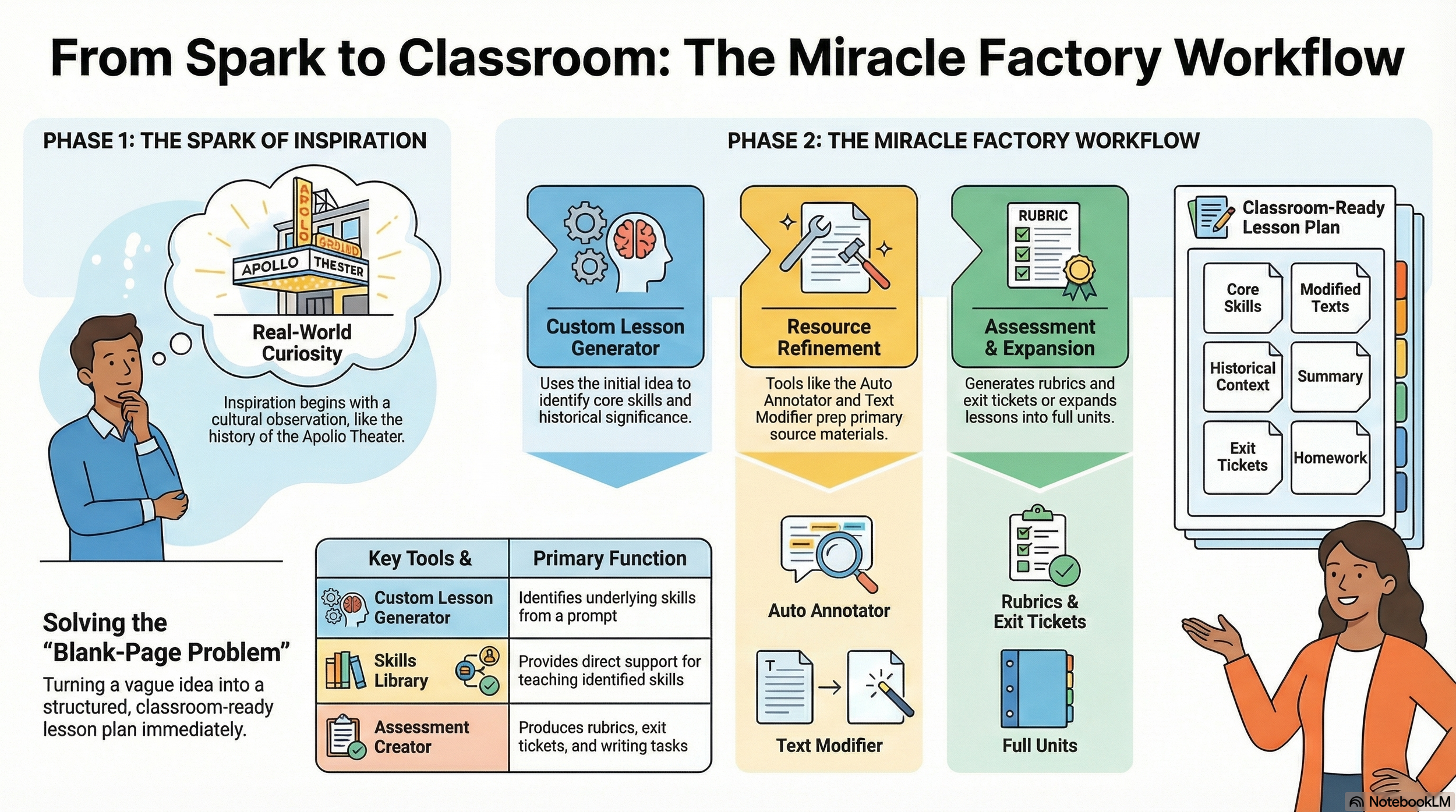
Imagine this: A teacher is walking down 125th Street in Harlem, passing the Apollo Theater. She starts wondering about the history of women’s contributions to the Apollo and thinks, this could become a lesson. She does not have a full plan yet—just a strong idea rooted in place, culture, and curiosity.

The teacher starts with the Custom Lesson Generator, using the idea as the opening prompt. That virtual teaching assistant automatically identifies the underlying skills, such as analyzing contributions, using evidence, and understanding historical significance. She then goes to the Skills Library for direct support in teaching those skills, uses the Auto Annotator or Text Modifier if she brings in an article or primary source about the Apollo, and finishes with the Assessment Creator for an exit ticket, rubric, or writing task.If she wants to turn it into a larger sequence, she moves into the Custom Unit Generator.
This solves the blank-page problem by turning a moment of inspiration into a skill-based, classroom-ready lesson.
Overview Video
Infographic
Demo Video