Workflow 3: “I have an image and I want to teach about it”
A social studies teacher comes across a photograph of children integrating a school in the 1960s. The image is powerful, and she knows students will react to it—but she wants to build more than just a conversation. She wants to turn that reaction into a rigorous, skill-based lesson where students learn how to analyze what they’re seeing.

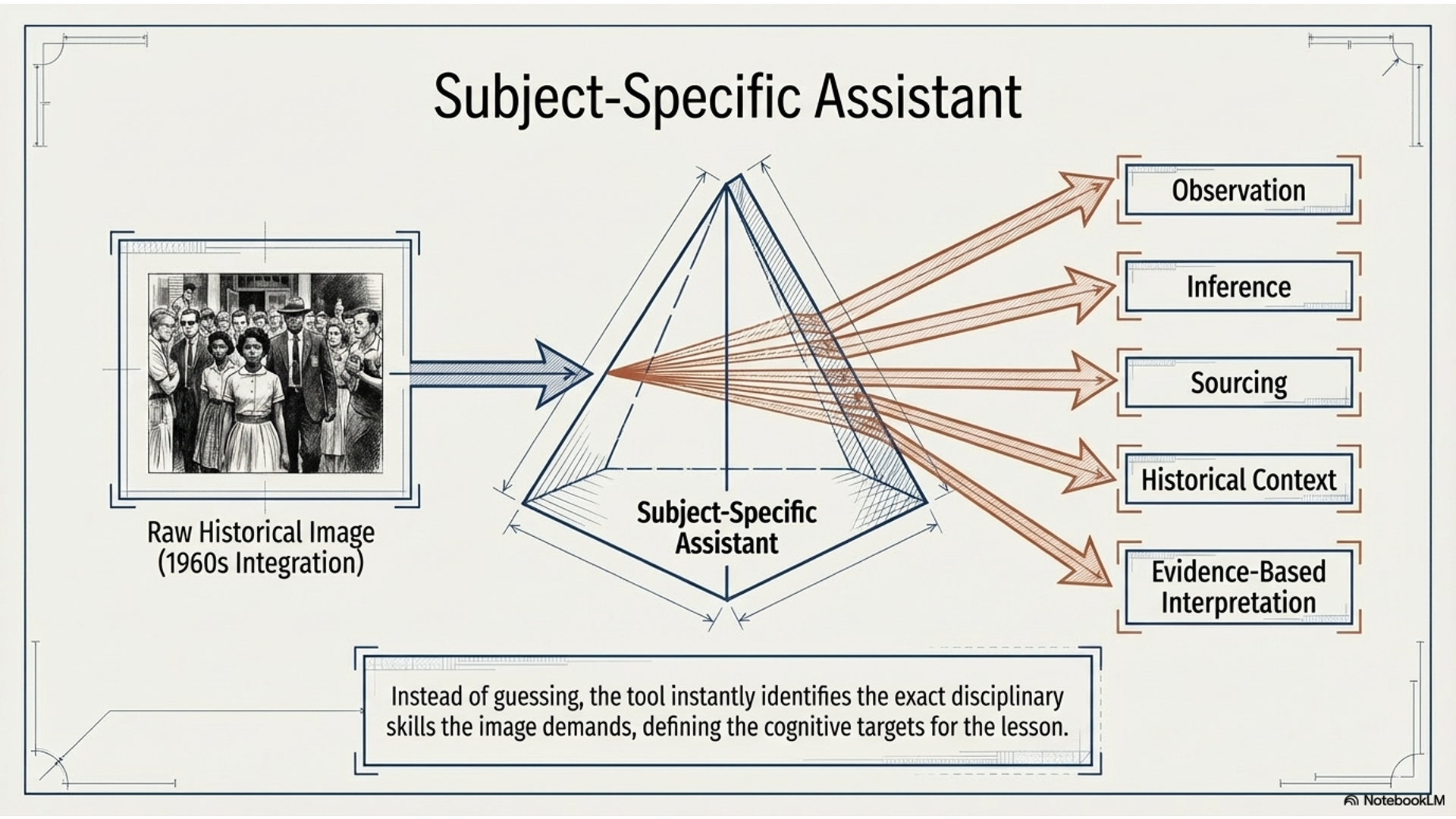
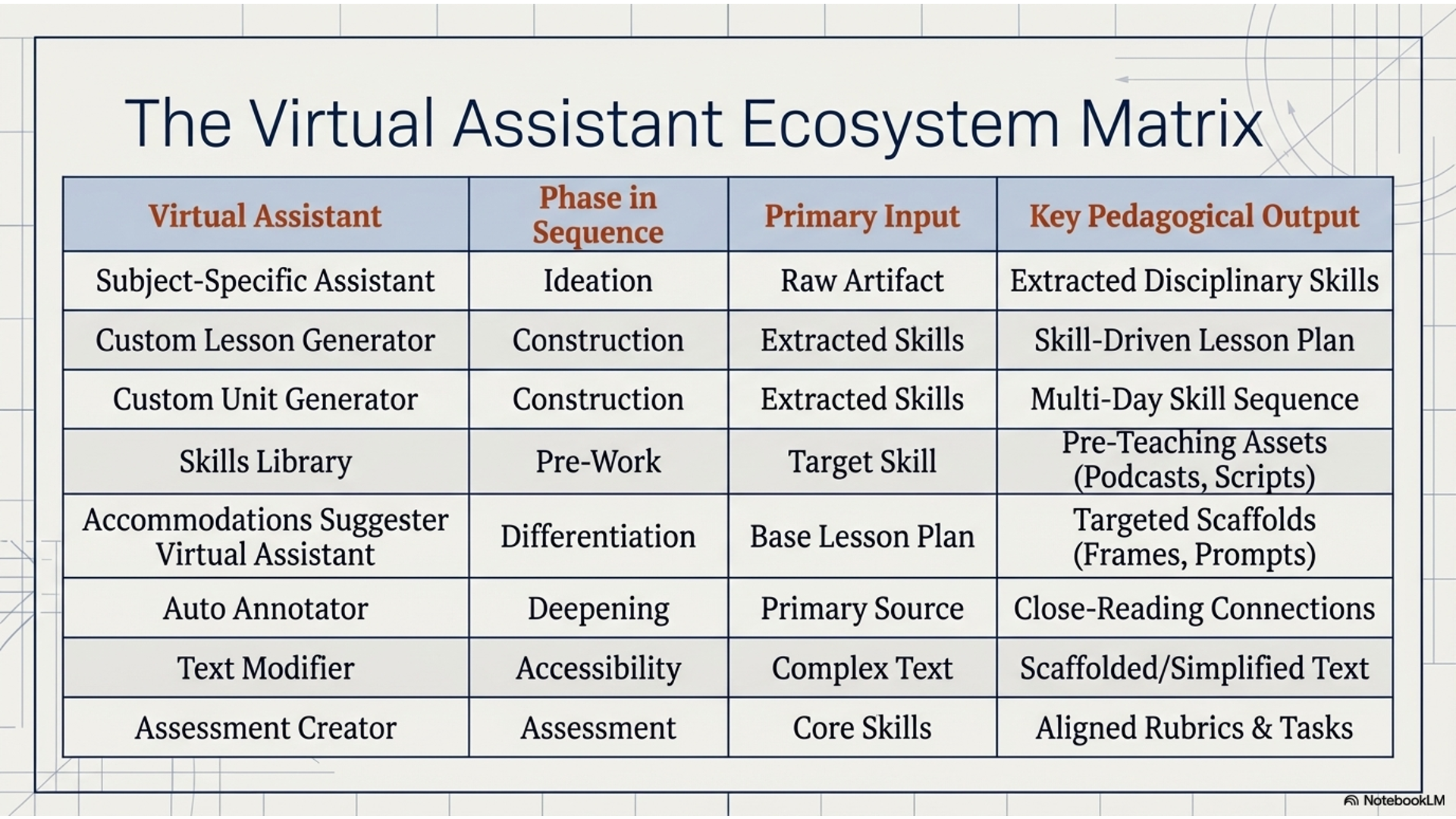
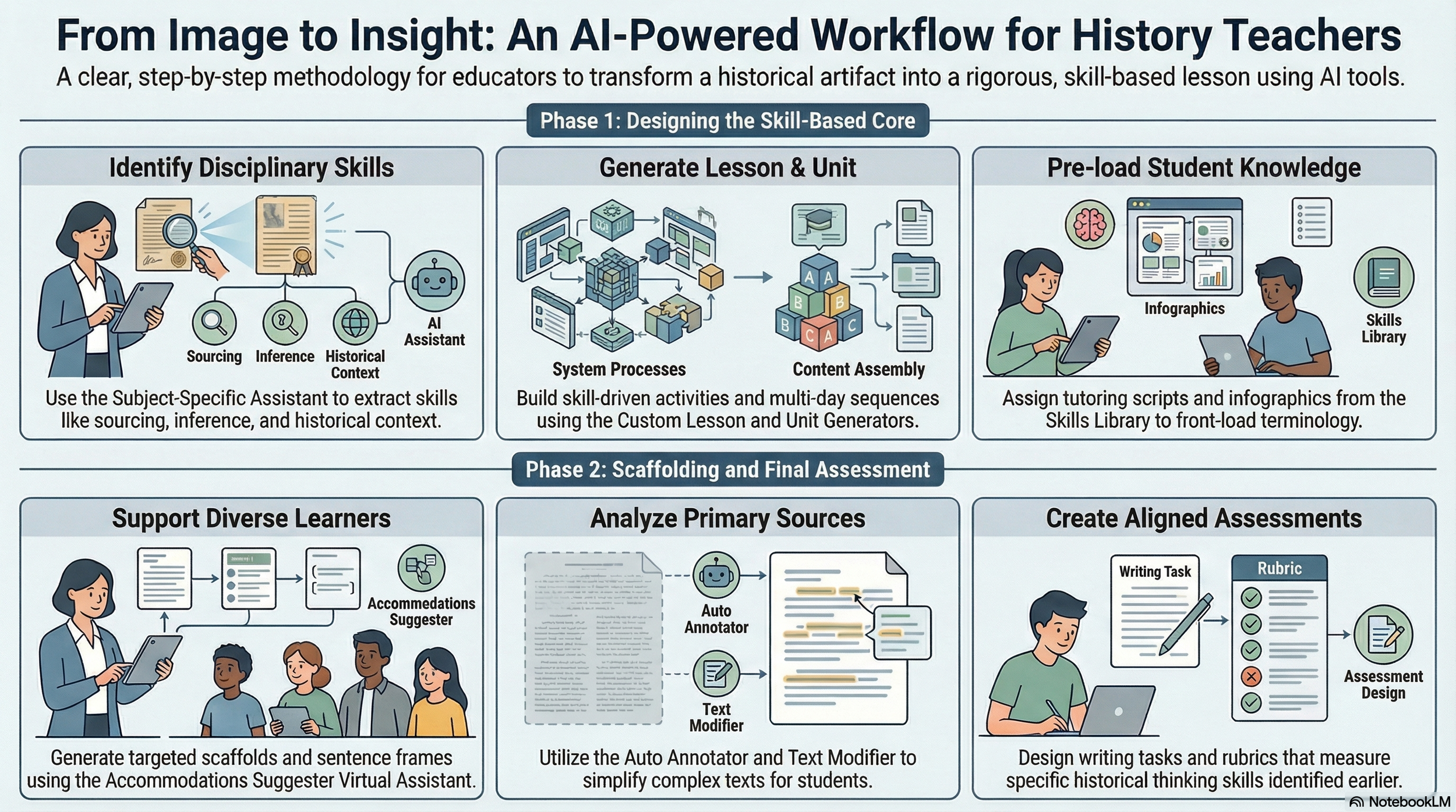
She starts by uploading the image into the Subject-Specific Assistant for social studies. Instead of guessing, the tool identifies the key disciplinary skills the image brings out—observation, inference, sourcing, historical context, and evidence-based interpretation. Now she has a clear understanding of the thinking students need to do.
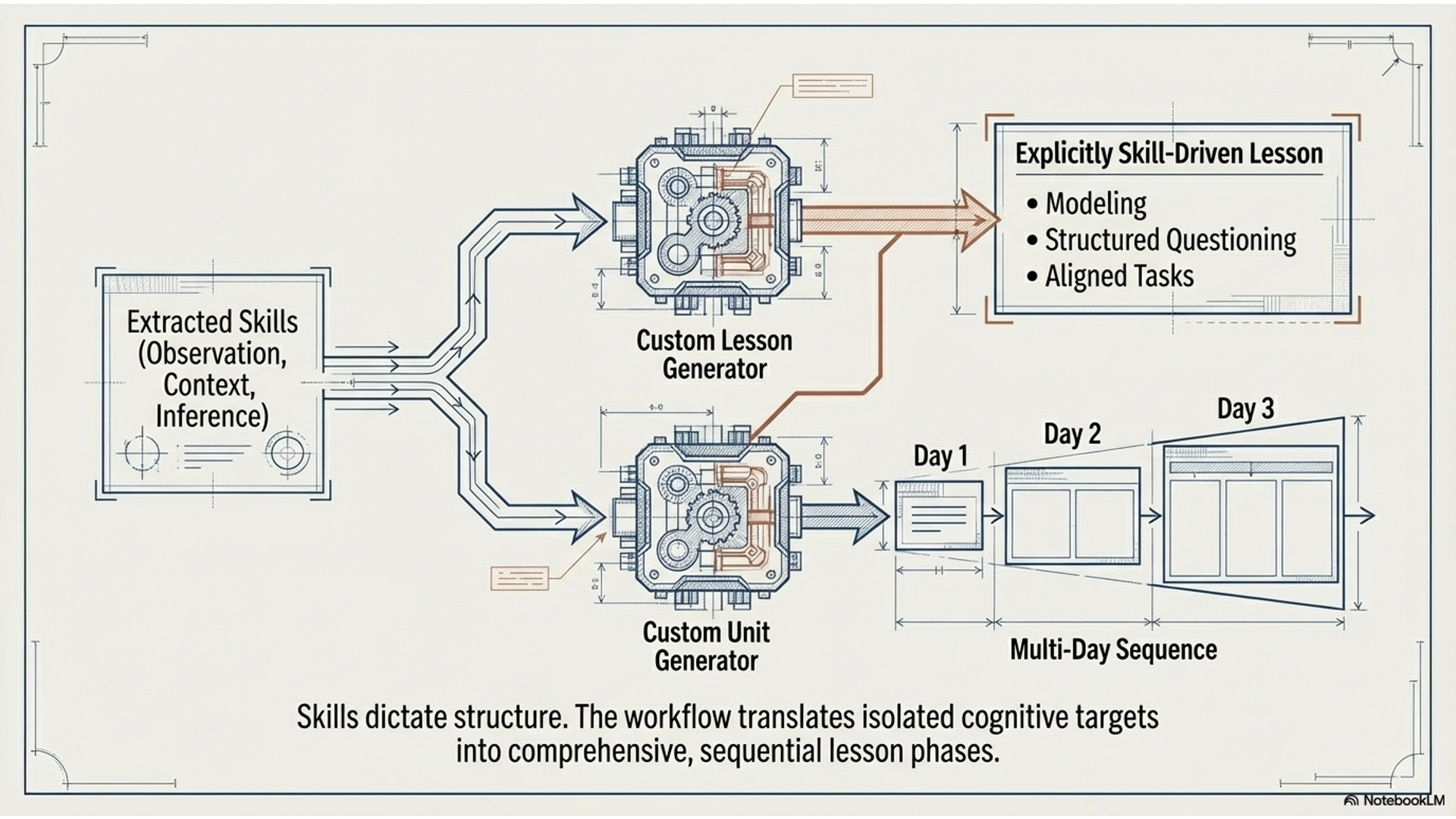
She then moves to the Custom Lesson Generator, which takes those identified skills and builds a full lesson around them. The lesson is not just activity-based—it is explicitly skill-driven, with modeling, structured questioning, and tasks aligned to helping students practice observation and historical reasoning. If she wants to expand this into a multi-day sequence, she uses the Custom Unit Generator to carry those same skills across a progression.
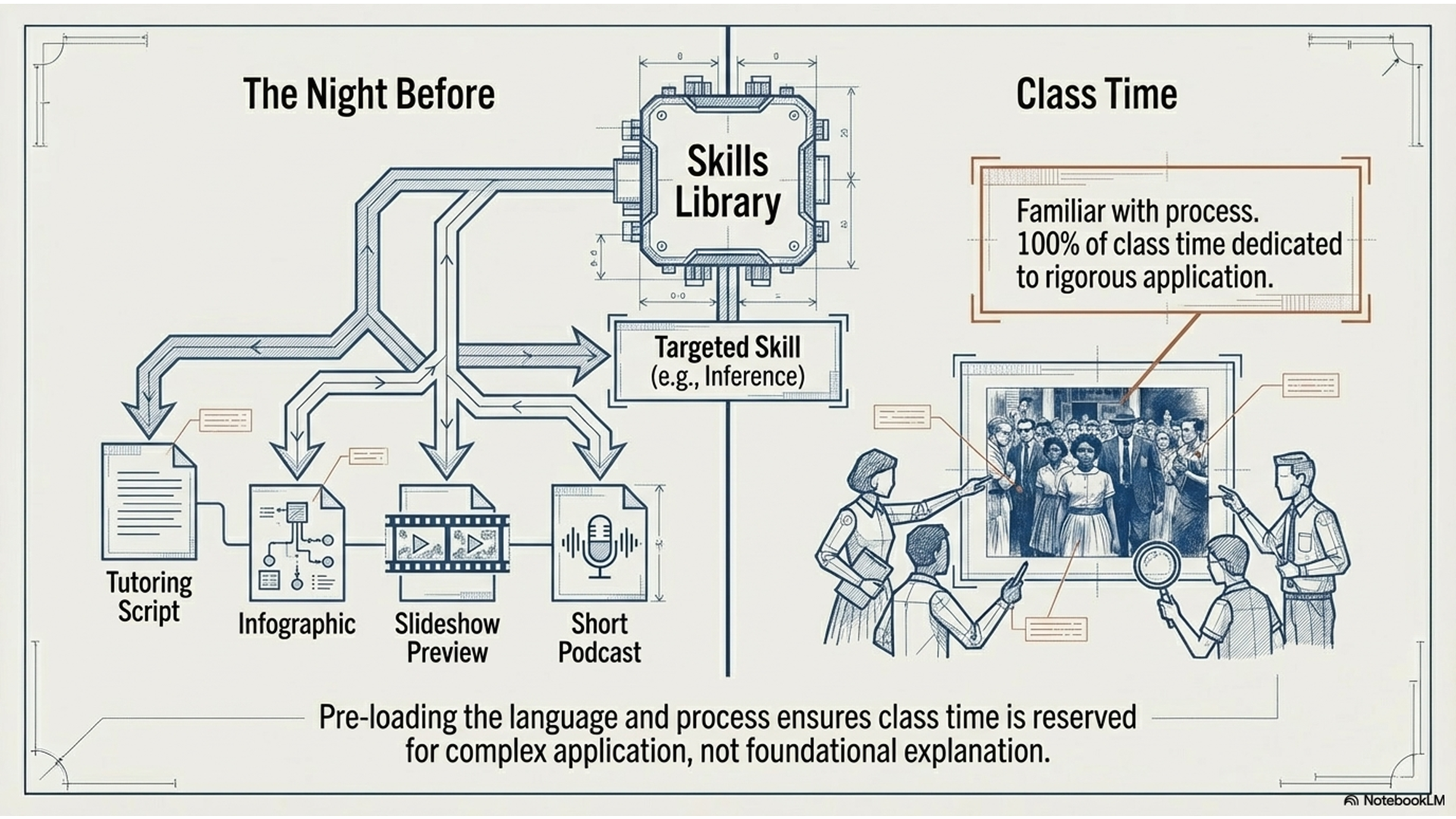
Before the lesson, she uses the Skills Library to prepare students the night before. She assigns a tutoring script and infographic on inference or historical analysis, along with a preview of the slideshow or a short podcast explaining the skill. Students come in already familiar with the language and process, which allows class time to focus on applying the skill to the image.
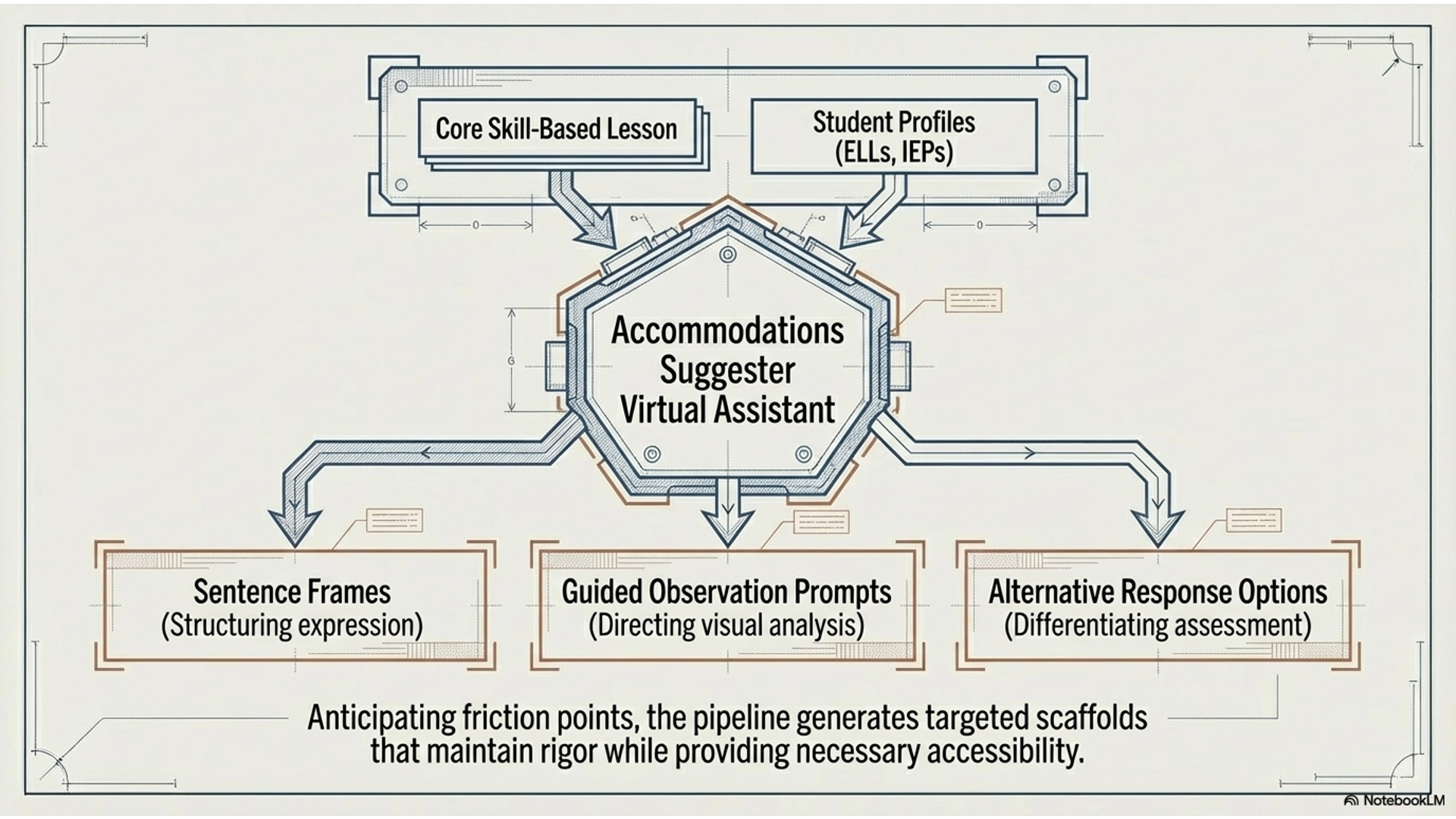
Looking at her class, she anticipates that some students—especially ELLs and students with IEPs—will need additional support. She uses the Accommodations Suggester Virtual Assistant to generate targeted scaffolds, such as sentence frames, guided observation prompts, and alternative response options.
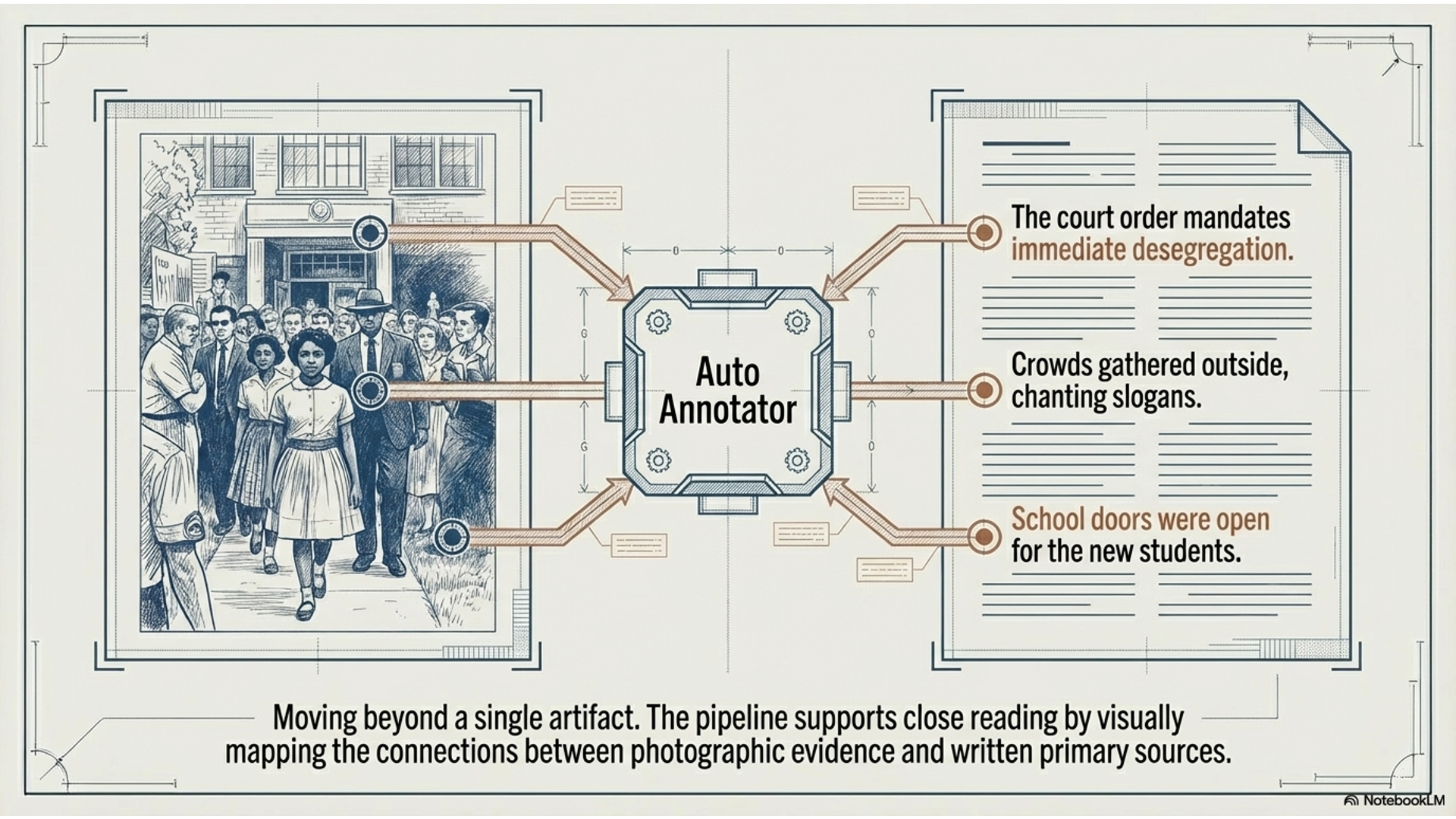
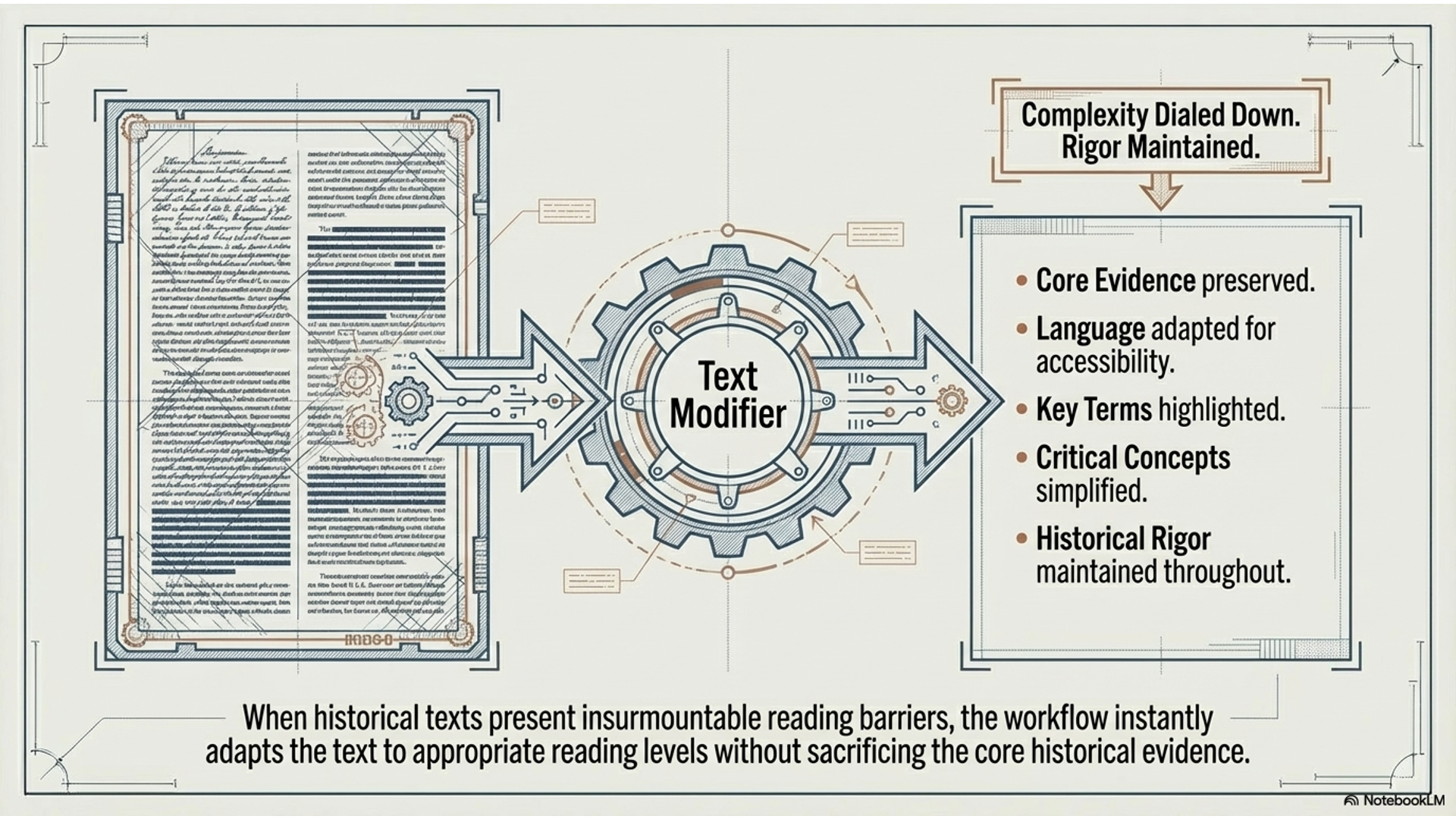
To deepen the lesson, she brings in a related primary source and uses the Auto Annotator to support close reading, helping students connect what they see in the image to written evidence. If the text is too complex, she uses the Text Modifier to simplify and scaffold it.
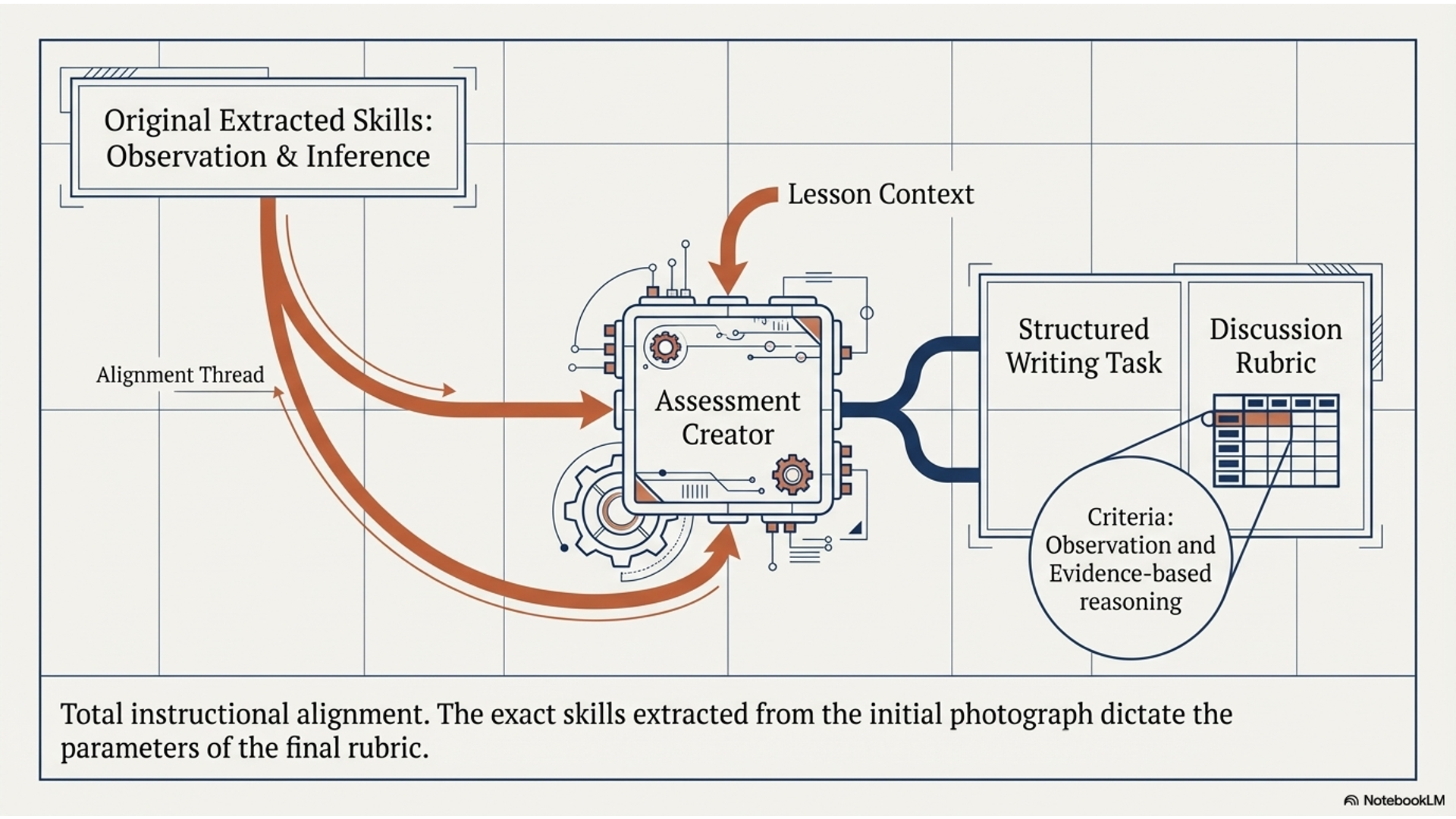
Finally, she uses the Assessment Creator to design a writing task or discussion rubric aligned directly to the same skills—ensuring students are practicing observation, inference, and evidence-based reasoning in a structured way.
What started as a powerful image becomes a coherent, skill-based lesson—where student reactions are the entry point, but disciplined historical thinking is the outcome.
Overview Video
Infographic
Demo Video
Slideshow