Workflow 5: “I have the text, but it is too hard for some students”
Mr. Patel, a high school science teacher, wants his students to read a complex article explaining climate feedback loops. The content is important—it connects directly to his unit on climate systems—but he knows some students will struggle with the dense vocabulary, technical terms, and long explanations. In past years, those students either shut down or relied on others. He doesn’t want to replace the text—he wants all students to access it.

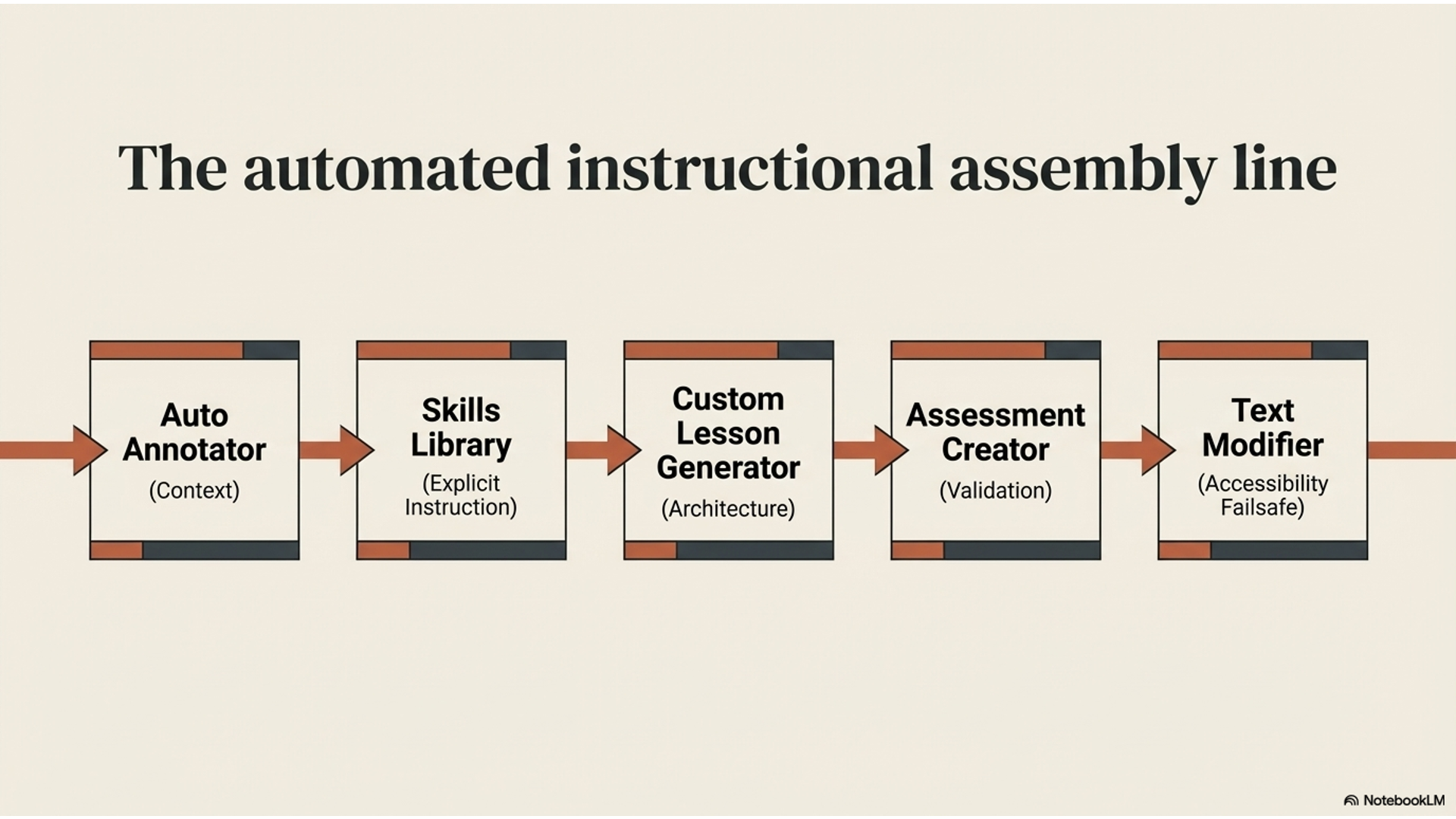
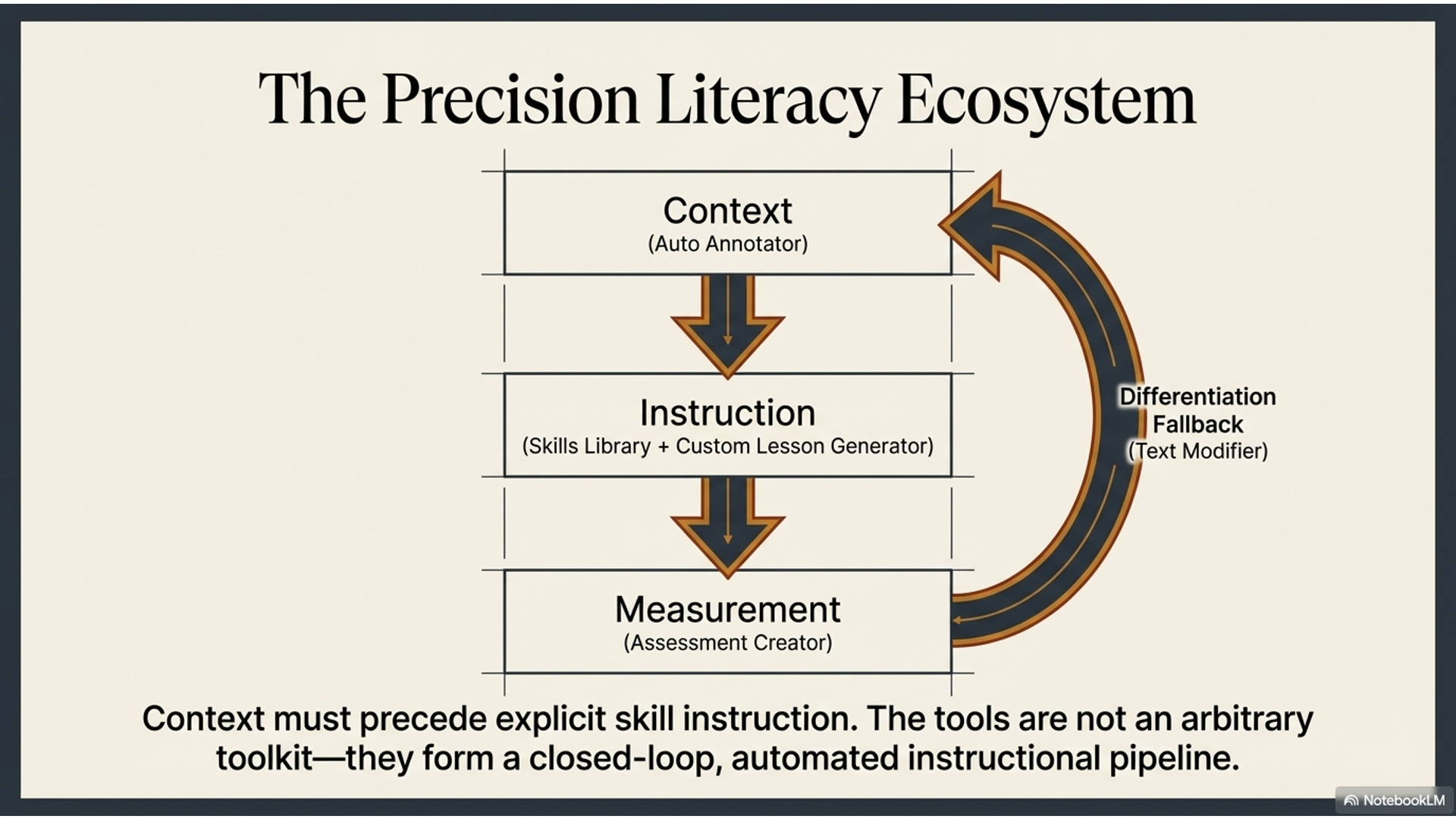
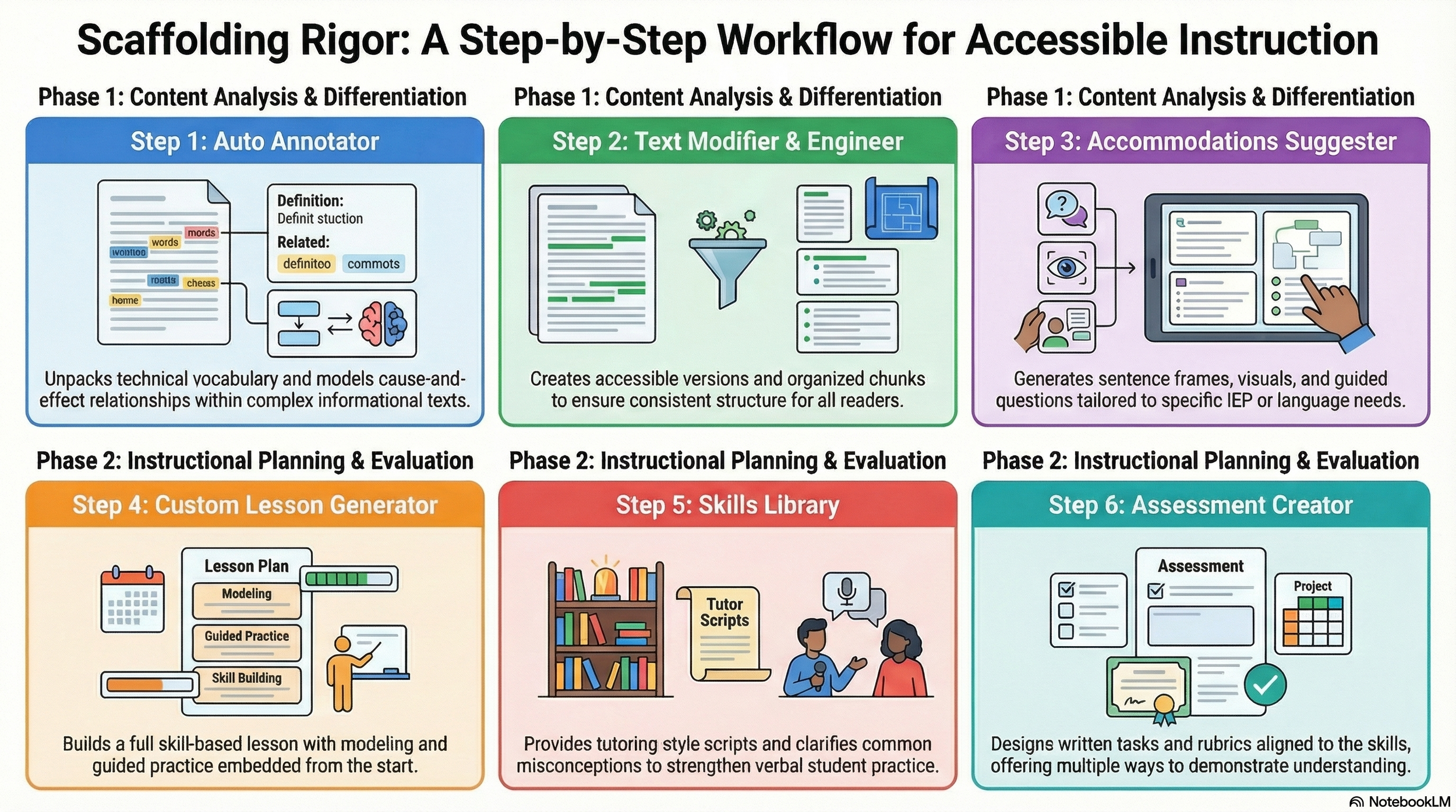
He starts by uploading the article into the Auto Annotator, which helps unpack the meaning section by section. It explains key concepts, highlights cause-and-effect relationships, and shows how the scientific explanation is built, giving him a clear way to model how to read complex informational text.
He considers using the Text Engineer, which would give him a consistent structure—chunking the article, adding guiding questions, and organizing the reading into a step-by-step process. He keeps that in mind as a reliable scaffold if students need more structured support during the lesson.
Next, he turns to the Text Modifier to differentiate access. He creates a more accessible version of the article, along with a simplified vocabulary list and guided notes. Now, different groups of students can work with the same core scientific ideas, but with varying levels of support.
As he plans, he realizes he also needs more targeted differentiation for specific students. He uses the Accommodations Suggester Virtual Assistant to generate supports aligned to his class: sentence frames for explaining cause and effect, visuals for key processes, guided questions for students who need more structure, and alternative ways to demonstrate understanding for students with IEPs or language needs.
With those supports in place, he moves to the Custom Lesson Generator. It identifies the underlying skills in the text—such as explaining systems, analyzing cause-and-effect relationships, and interpreting scientific information—and builds a full, skill-based lesson with modeling, guided practice, and differentiated supports already embedded.
To strengthen his instruction, Mr. Patel checks the Skills Library, where he finds clear explanations, common misconceptions, and even tutoring-style scripts to help students practice explaining complex processes out loud.
Finally, he uses the Assessment Creator to design a short written explanation task and rubric aligned to those same skills, with options for different levels of response.
By the time he teaches the lesson, differentiation is built in from the start. Every student is working toward the same scientific understanding—but with the scaffolds, supports, and accommodations they need to get there. Instead of lowering rigor, Mr. Patel has made the content accessible without losing its complexity.
Overview Video
Infographic
Demo Video
Slideshow