Workflow 6: “My students can get the answer to a math problem, but they can’t explain their thinking”
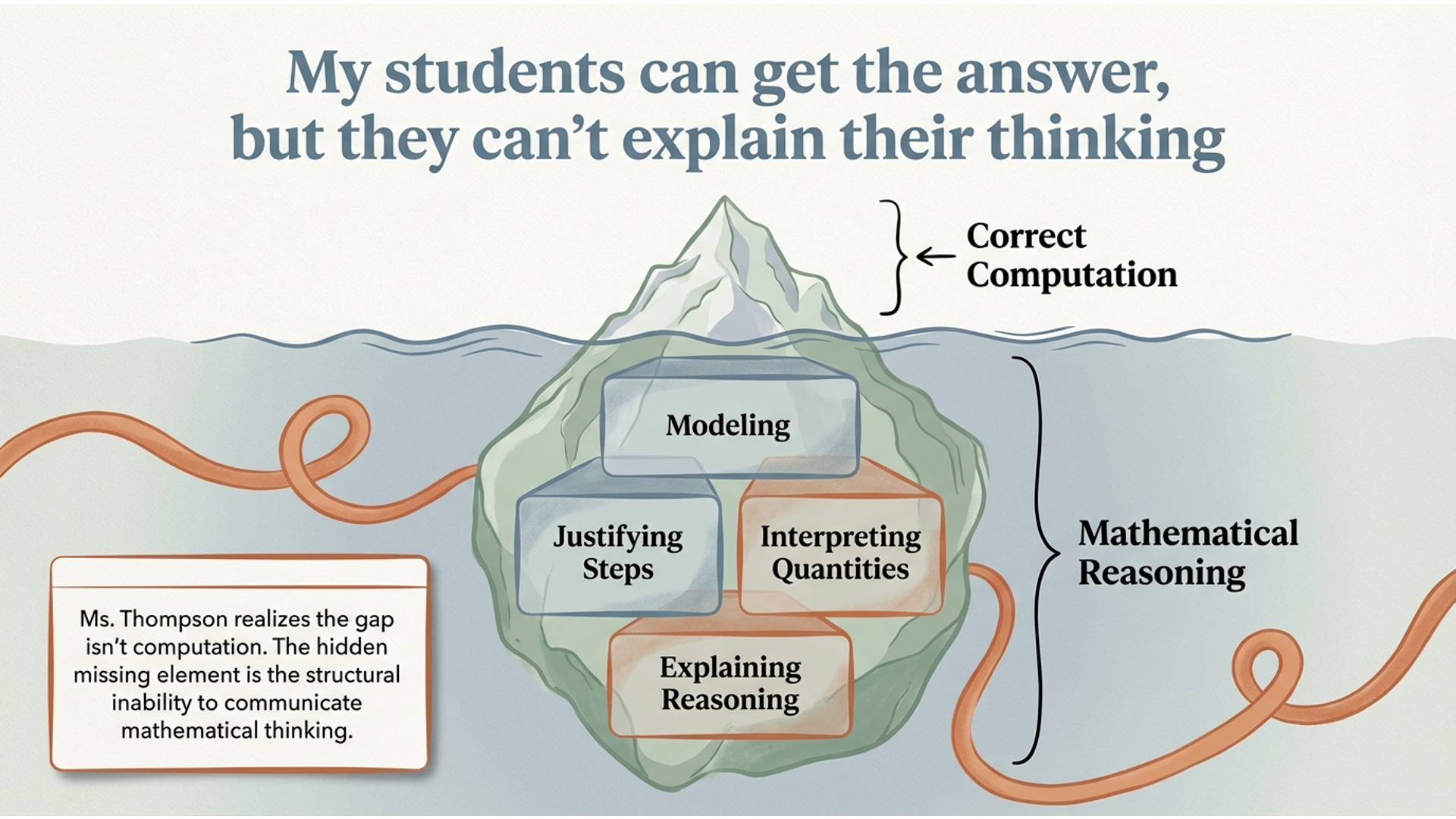
Ms. Thompson, a high school math teacher, is reviewing student work after class and notices something frustrating. Several students solved a multi-step problem correctly—but when asked to explain their reasoning, they gave vague or incomplete answers, or couldn’t explain it at all. She realizes the issue isn’t just computation. The deeper problem is mathematical reasoning—students don’t yet know how to model, justify, or clearly communicate their thinking.

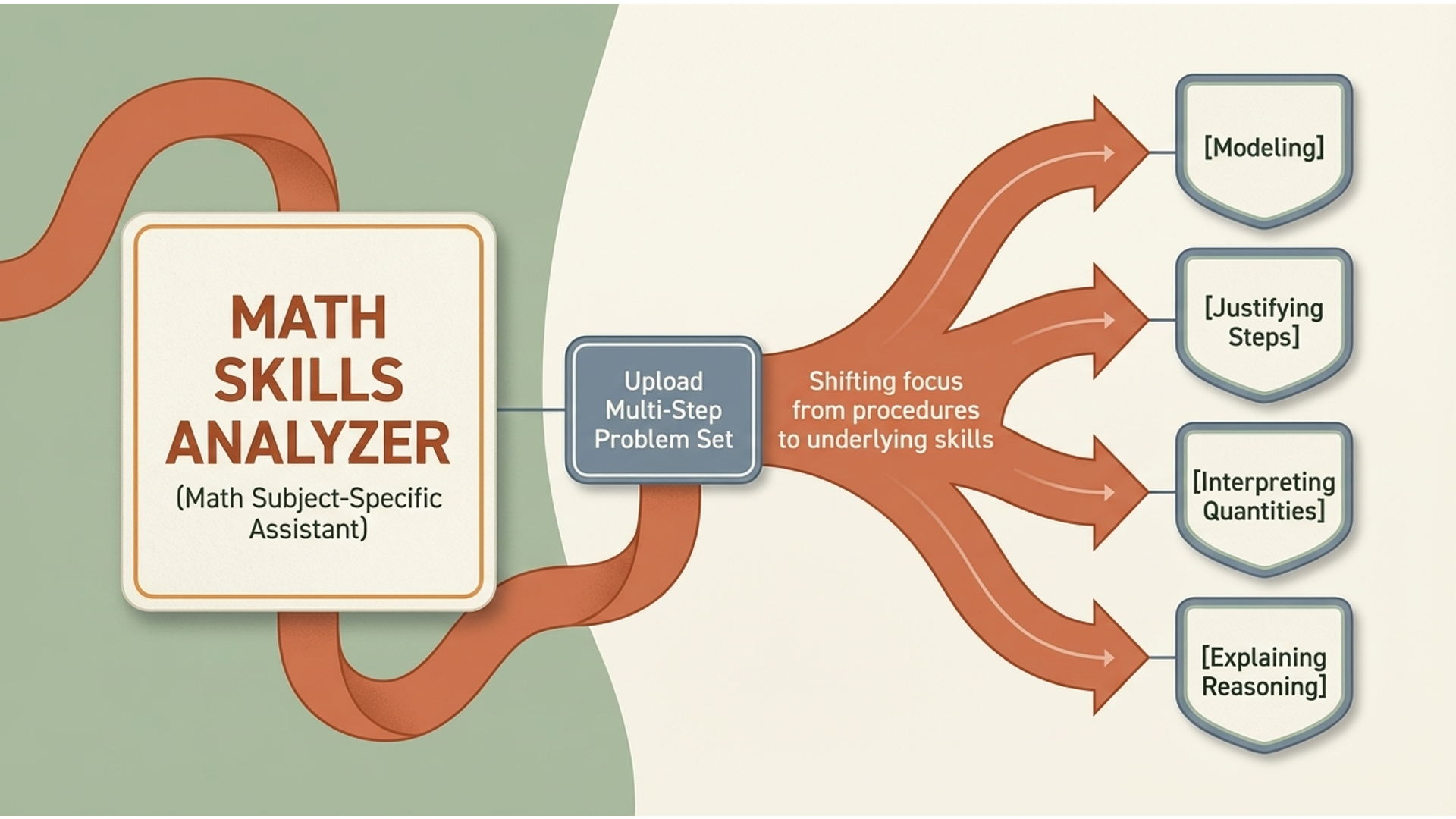
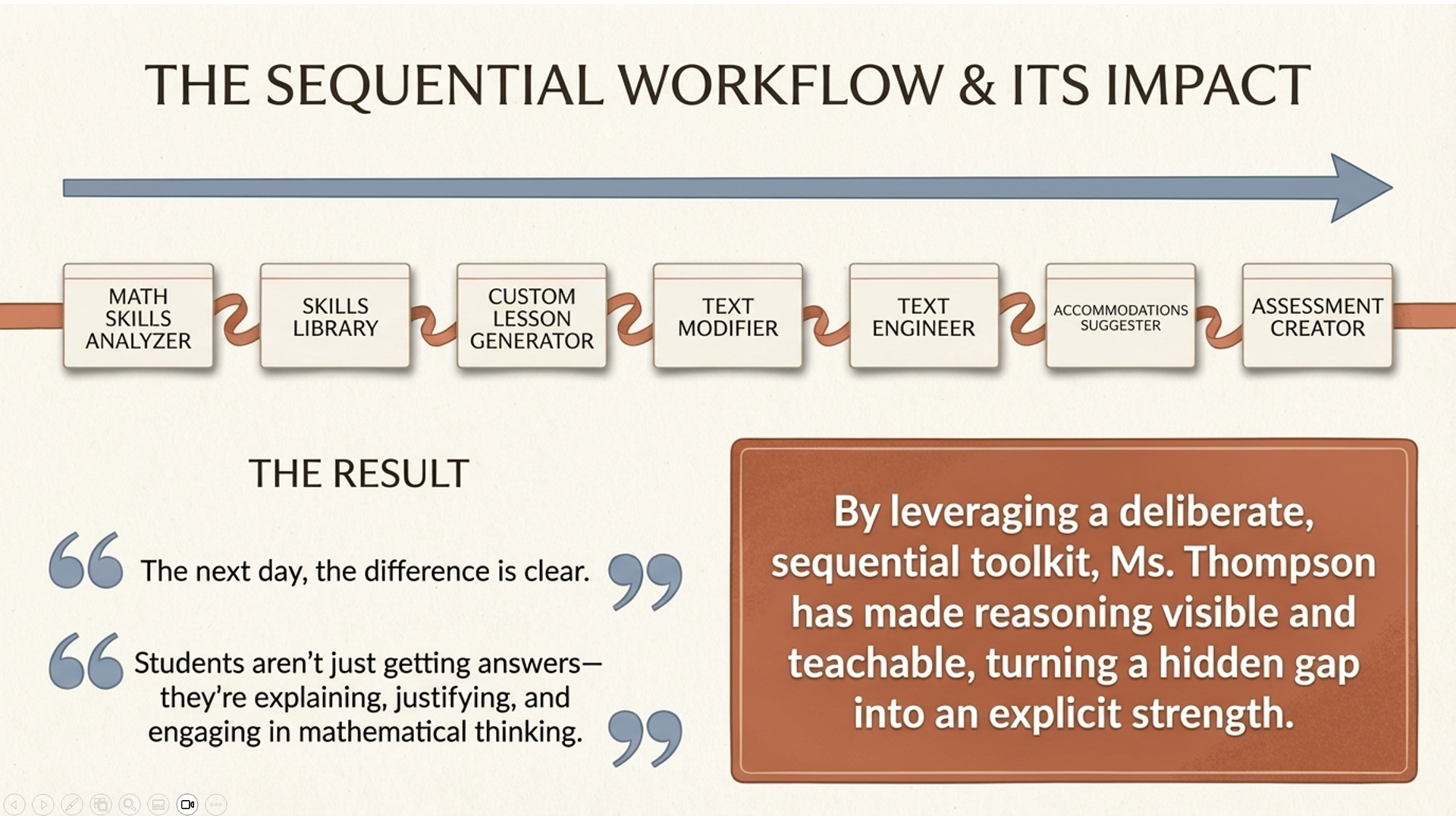
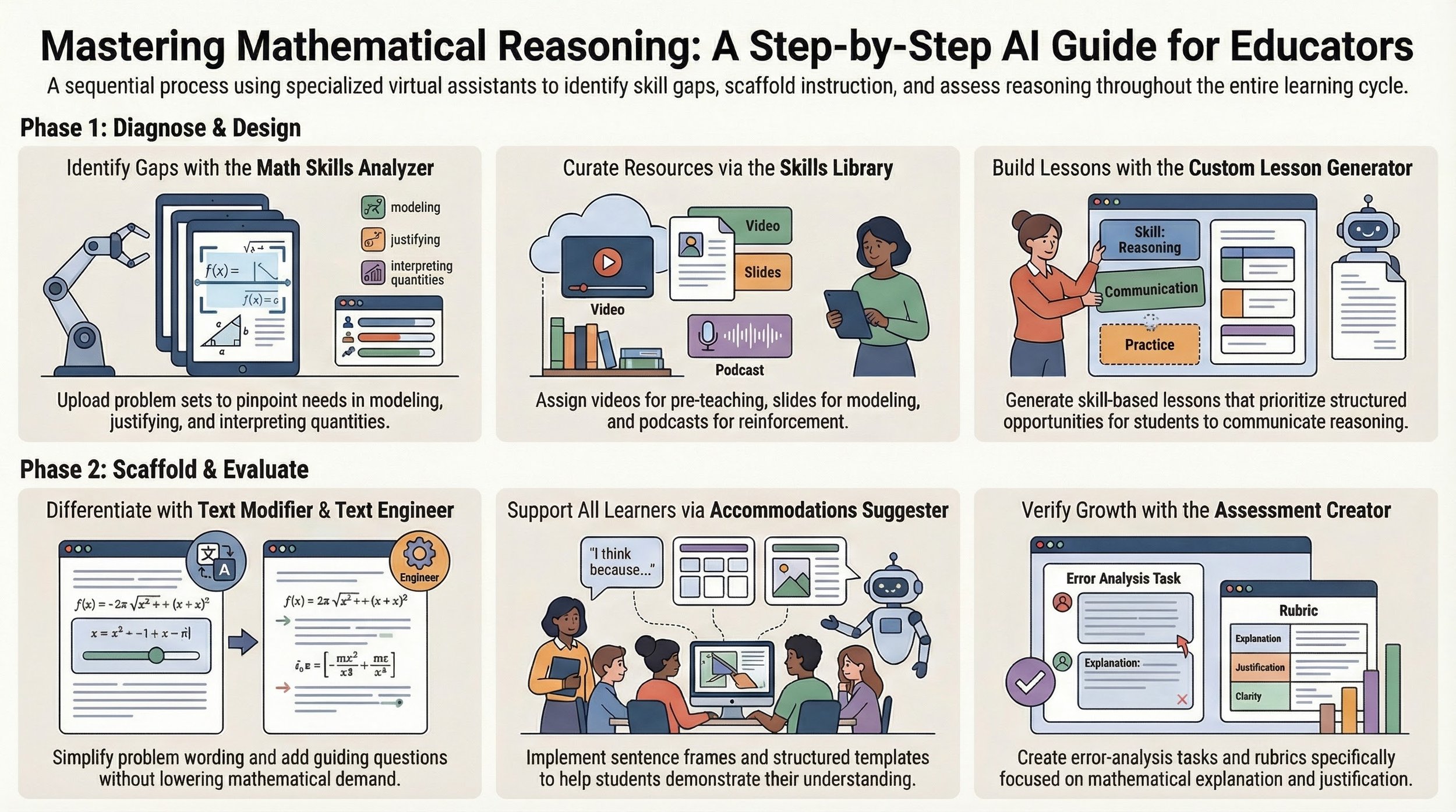
She starts by uploading the problem set into the Math Subject-Specific Assistant, the 'Math Skills Analyzer'. Instead of focusing on procedures, the tool identifies the underlying skills students need: modeling, justifying steps, interpreting quantities, and explaining reasoning.
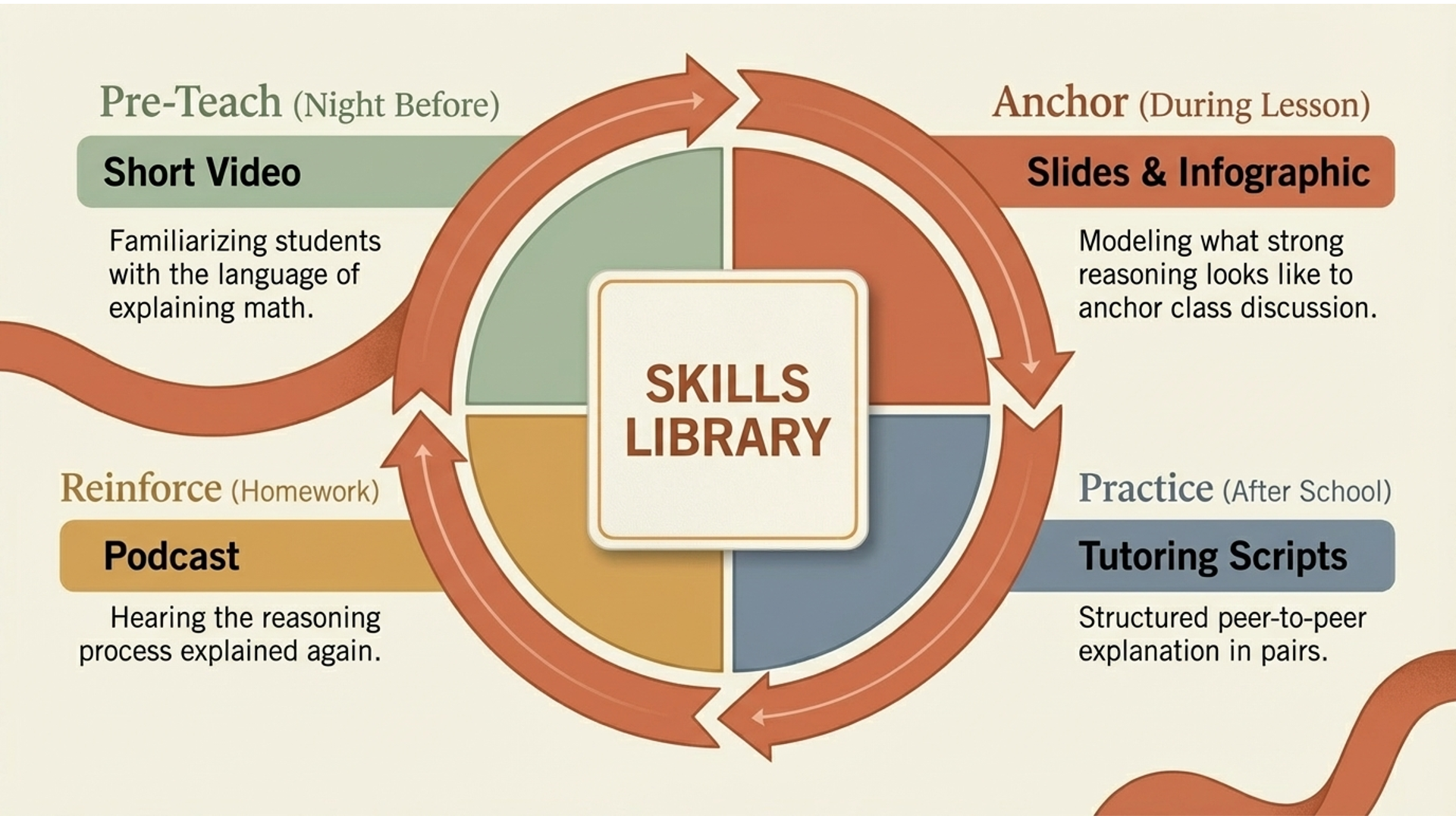
From there, she turns to the 'Skills Library' and uses it across the full learning cycle. The night before the lesson, she assigns a short video to pre-teach the idea of explaining mathematical thinking, so students come in already familiar with the language. During the lesson, she uses the slides and infographic to model what strong reasoning looks like and to anchor class discussion. After school, she has students use the tutoring scripts in pairs to practice explaining their thinking to each other in a structured way. For homework, she assigns the podcast so students can hear the reasoning process explained again and reinforce their understanding.
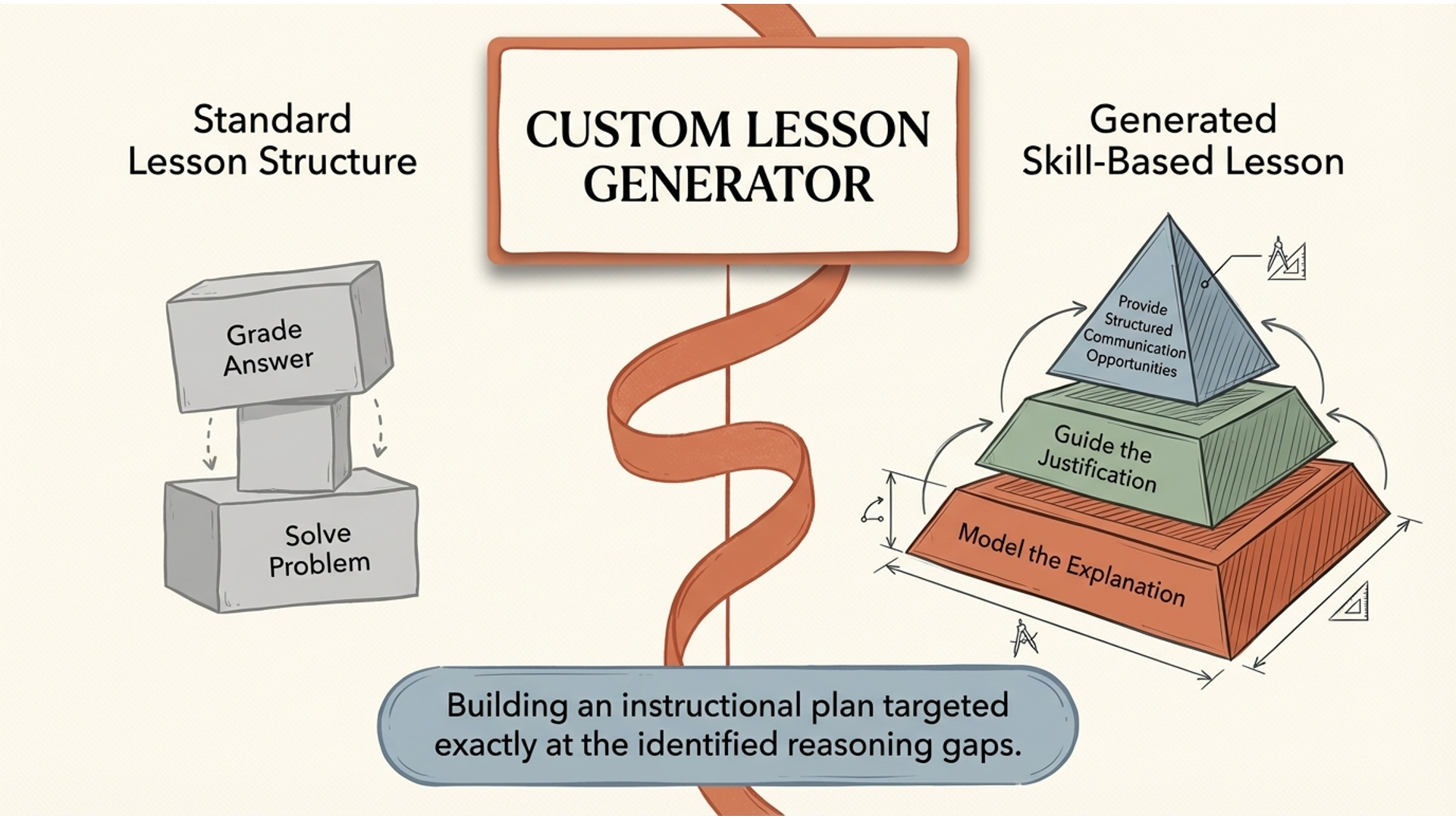
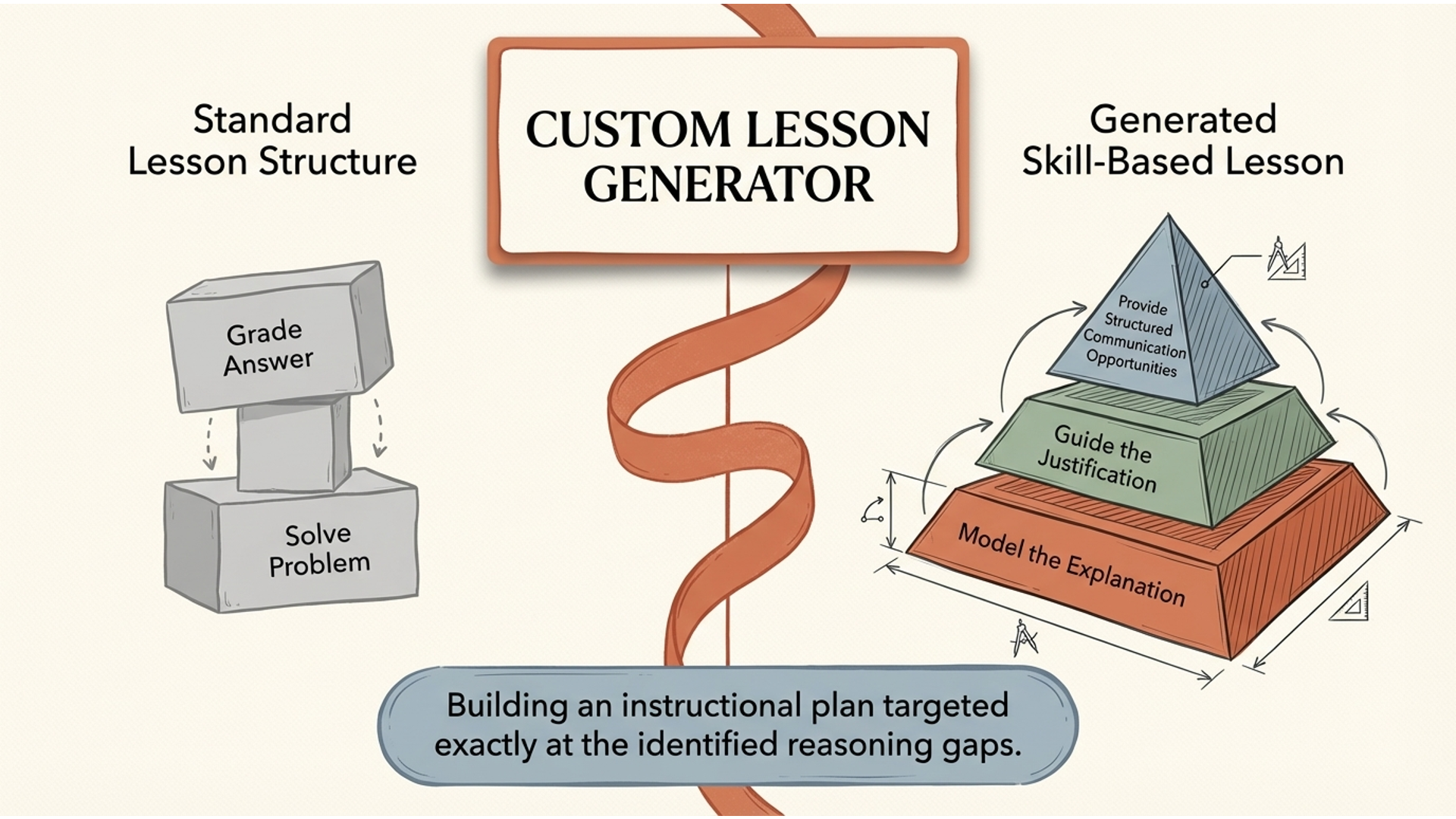
Next, she uses the Custom Lesson Generator, which builds a skill-based lesson around those identified gaps. The lesson focuses not just on solving problems, but on modeling how to explain each step, guiding students through justification, and giving them structured opportunities to communicate their reasoning.
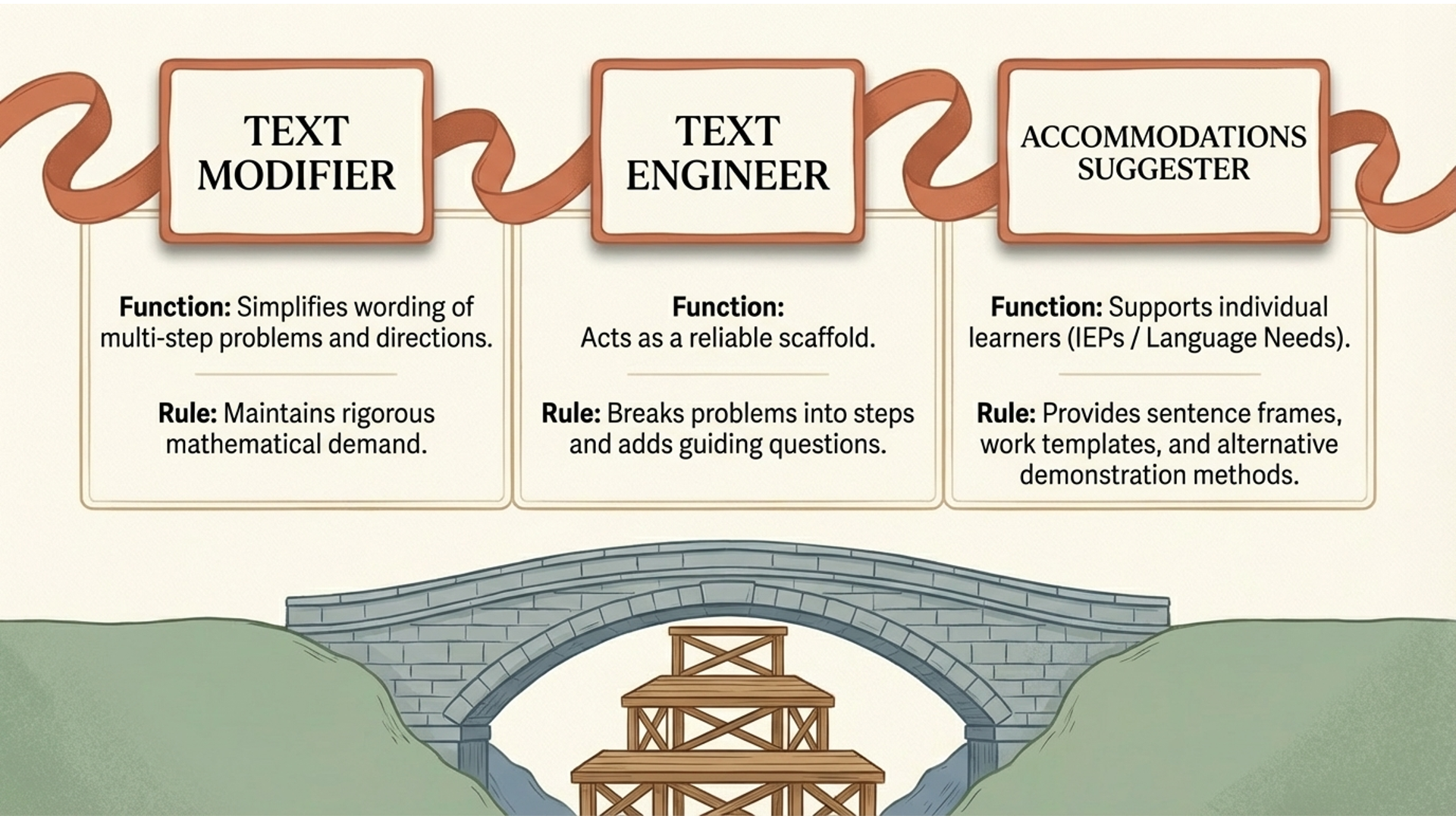
As she plans for differentiation, she uses the Text Modifier to simplify the wording of multi-step problems and directions without lowering the mathematical demand. She also considers the Text Engineer as a reliable scaffold—it can break problems into steps, add guiding questions, and support students who need a more structured pathway through the thinking.
To further support individual learners, she uses the Accommodations Suggester Virtual Assistant. It provides sentence frames for explaining reasoning, structured templates for showing work, and alternative ways for students to demonstrate understanding, especially for students with IEPs or language needs.
Finally, she uses the Assessment Creator to design short reasoning checks, error-analysis tasks, and a rubric focused specifically on mathematical explanation.
The next day, the difference is clear. Students aren’t just getting answers—they’re explaining, justifying, and engaging in mathematical thinking. By using the Skills Library before, during, and after instruction, Ms. Thompson has made reasoning visible and teachable, turning a hidden gap into an explicit strength.
Overview Video
Infographic
Demo Video
Workflow 5 Math Teacher: “My students can get the answer, but they can’t explain their thinking”
Driven by passion, grounded by values. We're a team of passionate thinkers and doers, dedicated to building with purpose and clarity. Collaboration and curiosity drive everything we do.
Slideshow