


SkillsTeacher.AI
The New AI-Powered platform that believes in using AI to strengthen human skill.
Courses and Virtual Assistants focused on Skill Acquisition for Teachers, Students, Instructional Leaders, Managers, Parents, and Coaches
Infographics - Podcasts - Slideshows
Tutoring Scripts - Videos - Lessons -
Virtual Assistants
How does it work?
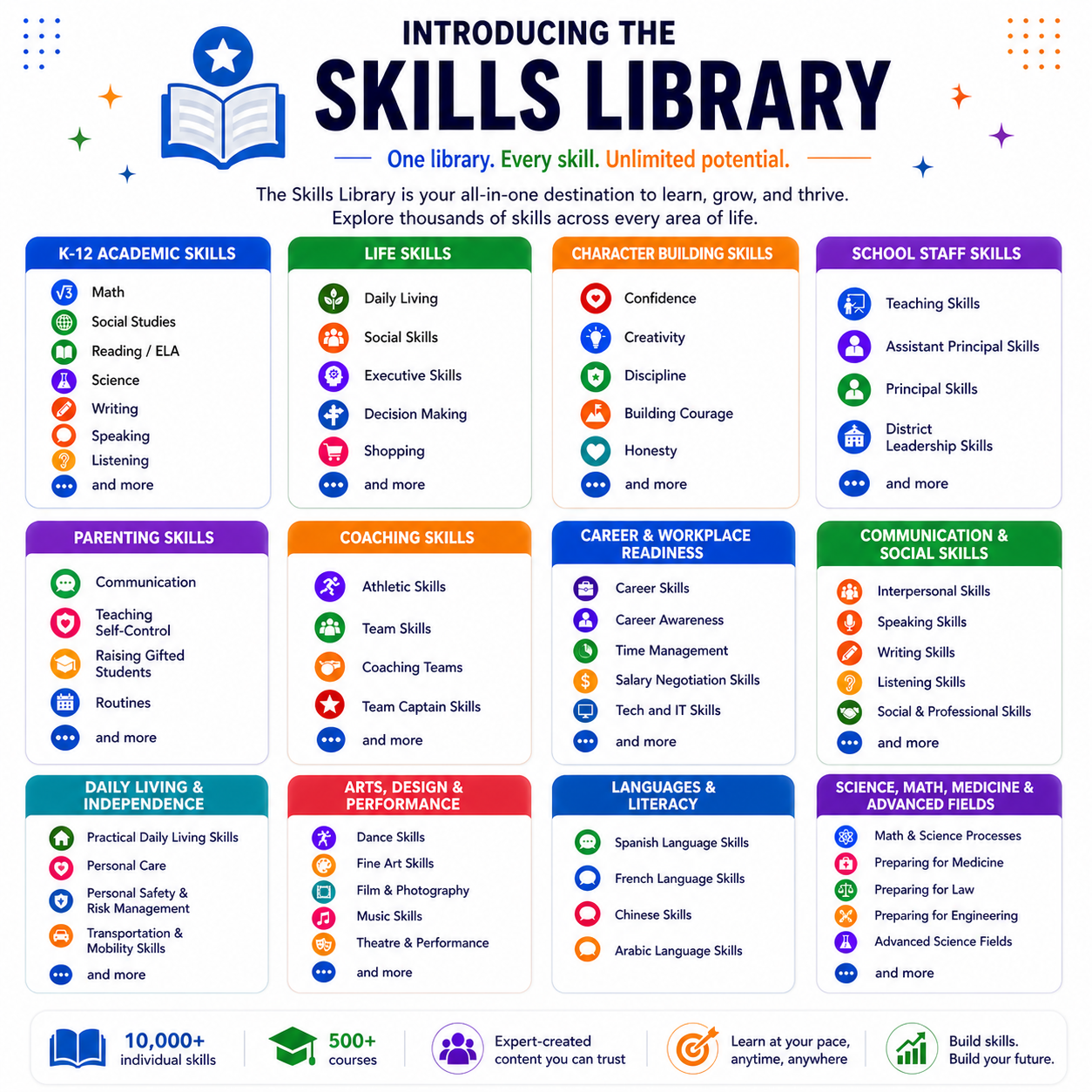
We believe in teaching people skills. So we built a library of over 10,000 individually identified skills.
These skills include K-12 skills, like creating lab reports, exploring how multiple themes interact in a text, or deciphering word problems in math.
They also include life skills like daily living skills, career awareness, decision making skills.
Families , parents, and coaches also have courses addressed to them, as do school staff.
They are organized into 6 Categories and further divided into over 500 courses.
Each course has between 100-300 individually identified skills.
No existing single company matches the full cross‑domain scope and depth described
Each skill is taught in 6 different ways using and tied together into Skill Bundles
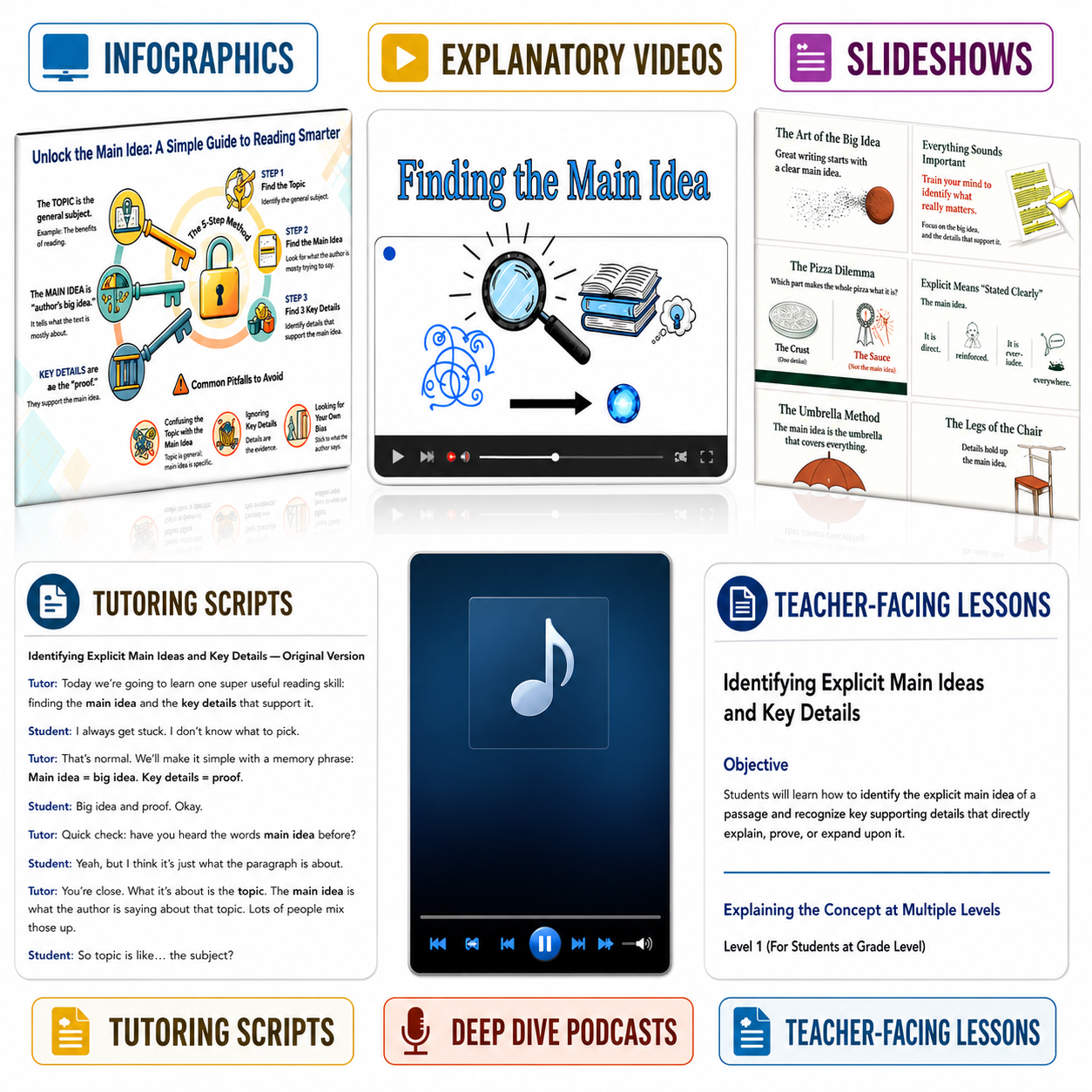
1.A teacher-facing lesson explains how to teach the skill to a student.
2.A tutoring script written at a 5th grade vocabulary level ensures wide access to the skill, no matter how complex it is
3.A slideshow helps teach it to students.
4.Students enjoy watching the short 5 minute videos explicitly discussing the skill
5.An infographic is provided as a teaching tool to scaffold students teaching the skill it back to you as assessment.
6.A podcast explains the skill while the learner spends time away from a screen.
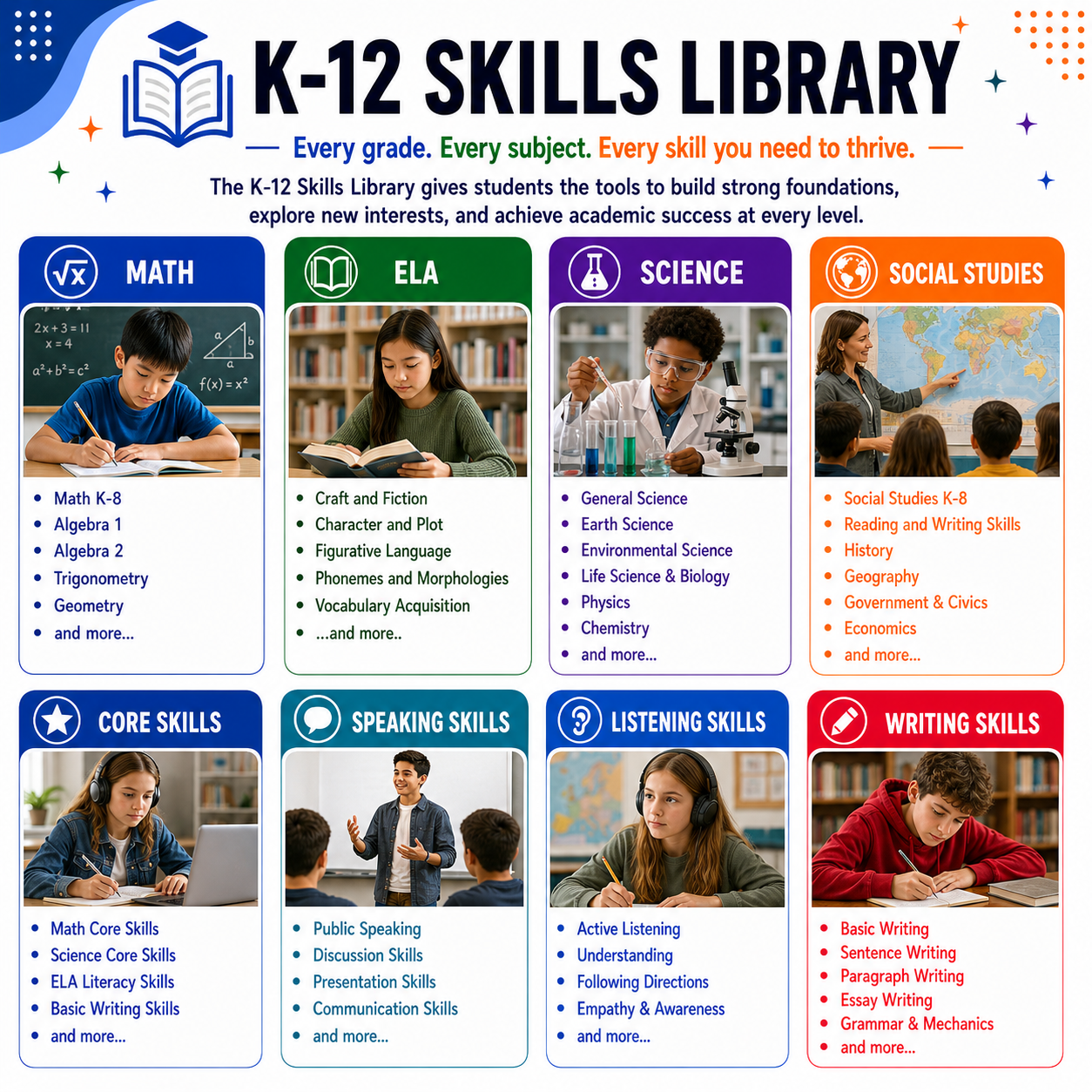
Many Teachers and Learners begin with the K-12 Academic Library.
You can explore the library on your own or use one of our virtual assistants where you can upload any text, document, photo, screenshot, or anonymized student sample and a virtual assistant will identify the underlying skill archictecture.
Each skill identified will have a corresponding learning bundle, giving you a way to zoom in on the skills you need to.
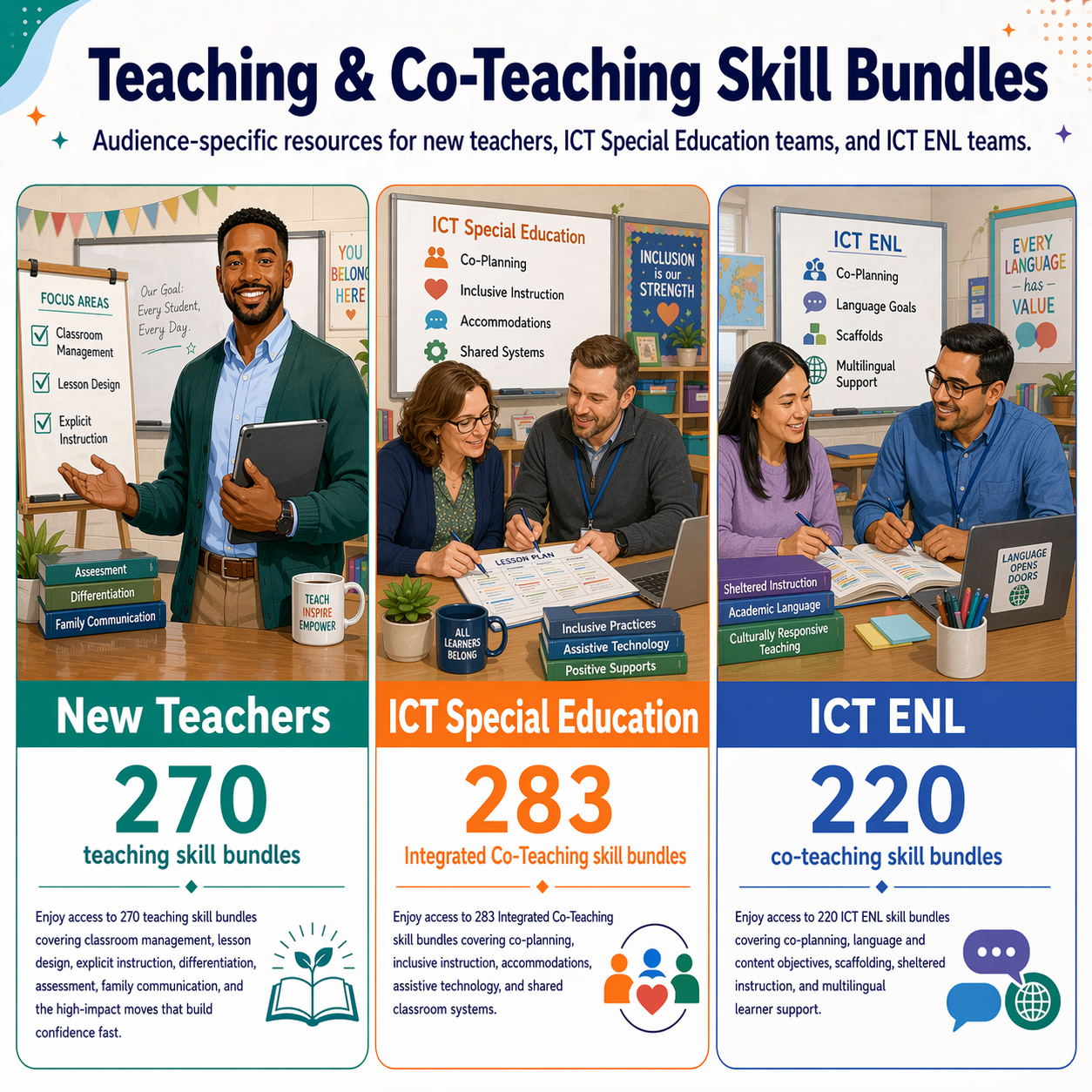
Whether you are a new teacher, a veteran teacher, or a homeschooler, you will benefit from our granular treatment on teaching skills. This covers the basic 270 skills involved in being an effective teacher, with special skill bundles related to special education, ICT, ICT ENL, and more.
Teachers get their own library of skills and a virtual assistant situation analyzer that suggests skills to deal with specific situations
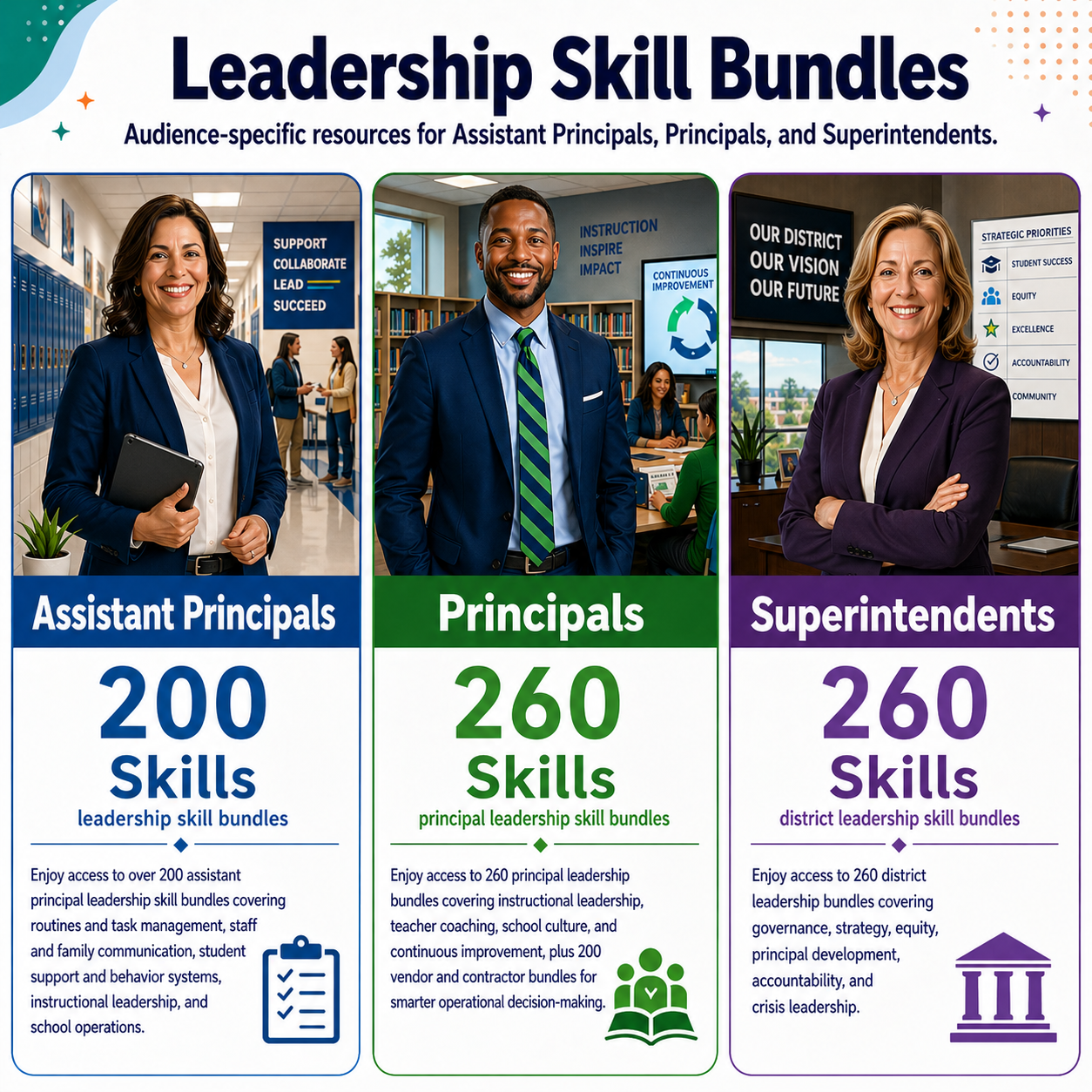
Principals, APs, and Superintendents get their own skills library as well so they can have ready made materials to use as learning opportunities.
They also have free access to our most powerful virtual assistant, which analyzes any school situation and suggests the skills to navigate it. They can then find the corresponding skill bundle in our skills library and learn about it or use it to teach others.
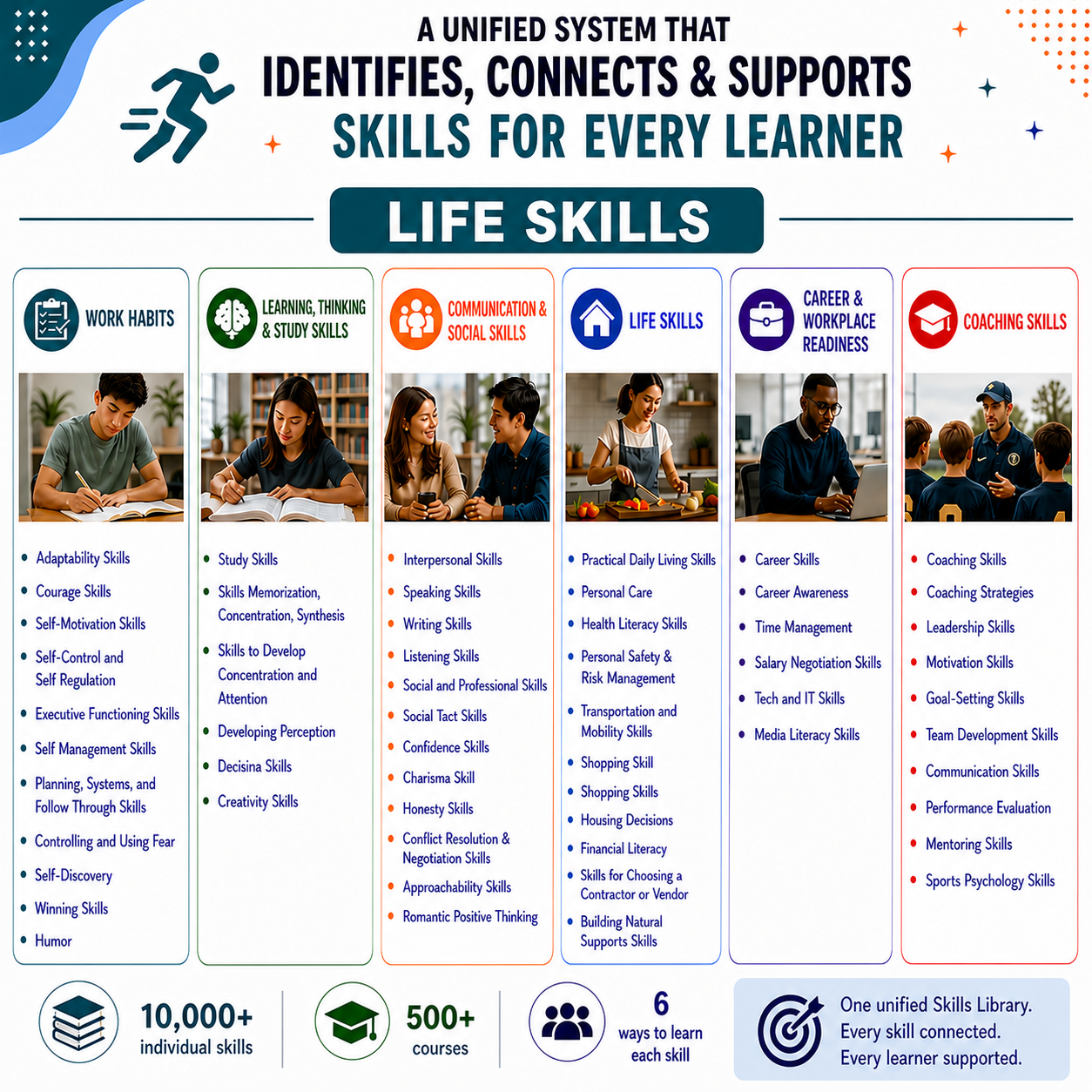
Life and independent living skills are just as important as academic skills. After all, learning happens beyond the classroom, and so we compiled thousands of life skills that can help people learn, understand, and transition into adulthood.
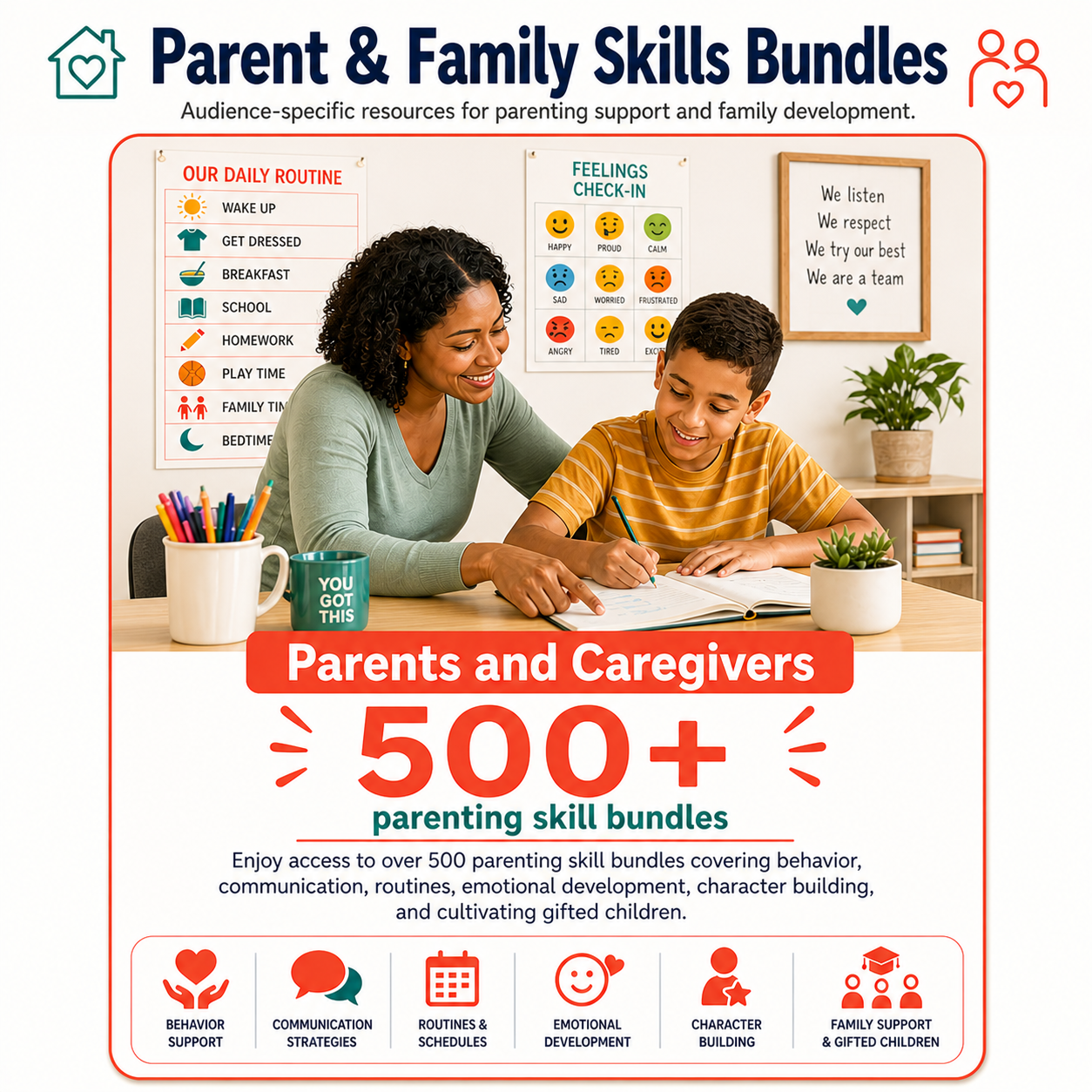
Use our virtual assistant to type in a parenting situation and discover the skills architecture beneath it. Take those skills to the skills library and download the bundles.
Parents get the same setup: a library of over 500 explicit parenting skills and a virtual assistant where they can type in any situations and see what skills are needed to navigate the situation. From there, they can look up the skills in the library for skill bundles that can map out a way forward for everyone.
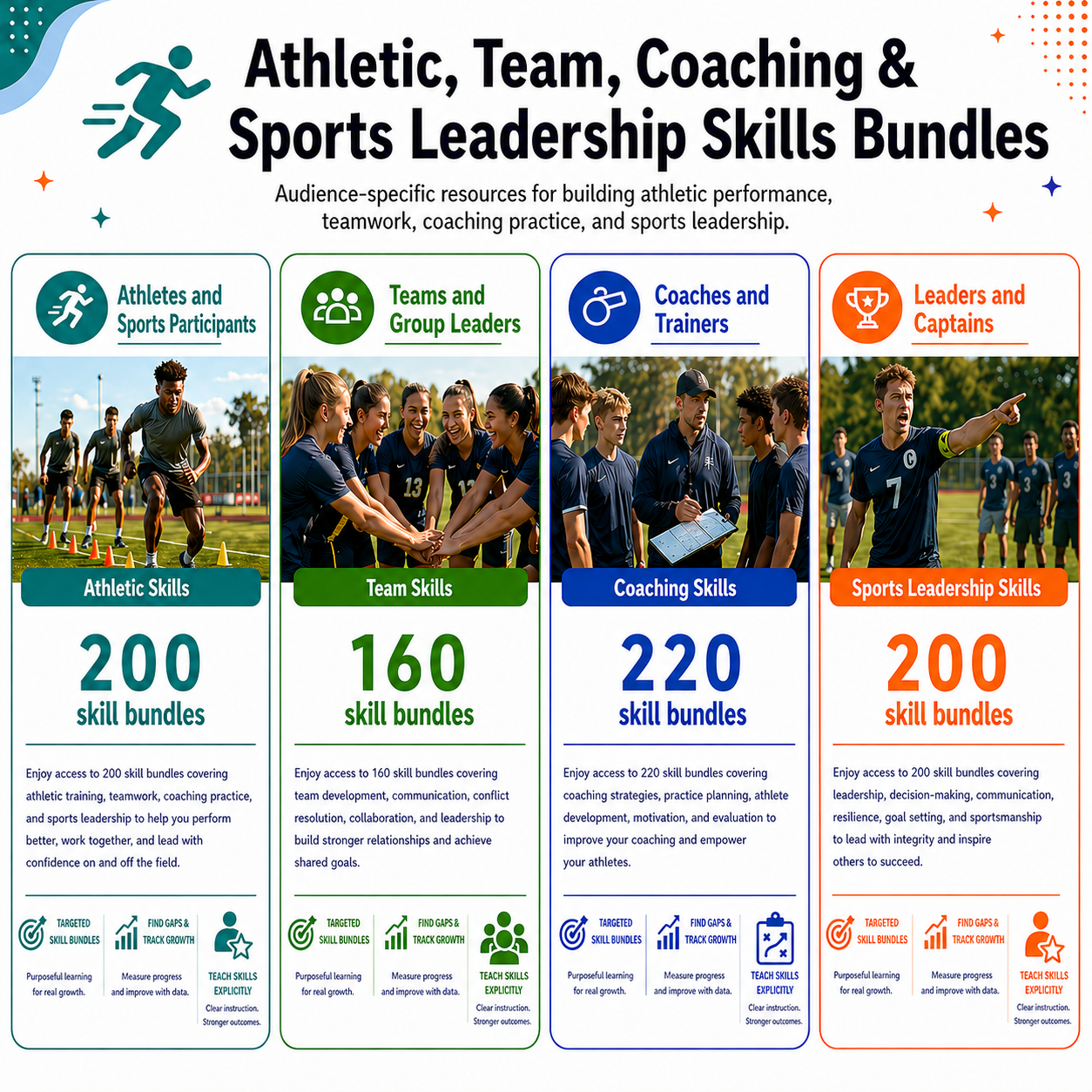
Whether you compete, coach, or lead a team—or even if you don’t—these courses will be helpful to learn everything from cultivating athleticism to teamwork skills.
Parents need all the help they can get as well and they get the same setup: a library of over 500 explicit parenting skills and a virtual assistant where they can type in any situations and see what skills are needed to navigate the situation. From there, they can look up the skills in the library for skill bundles that can map out a way forward for everyone.

What’s in a Skill Bundle?
Sample Skill Bundle
Analyze Bias and the Quality of a Text
-
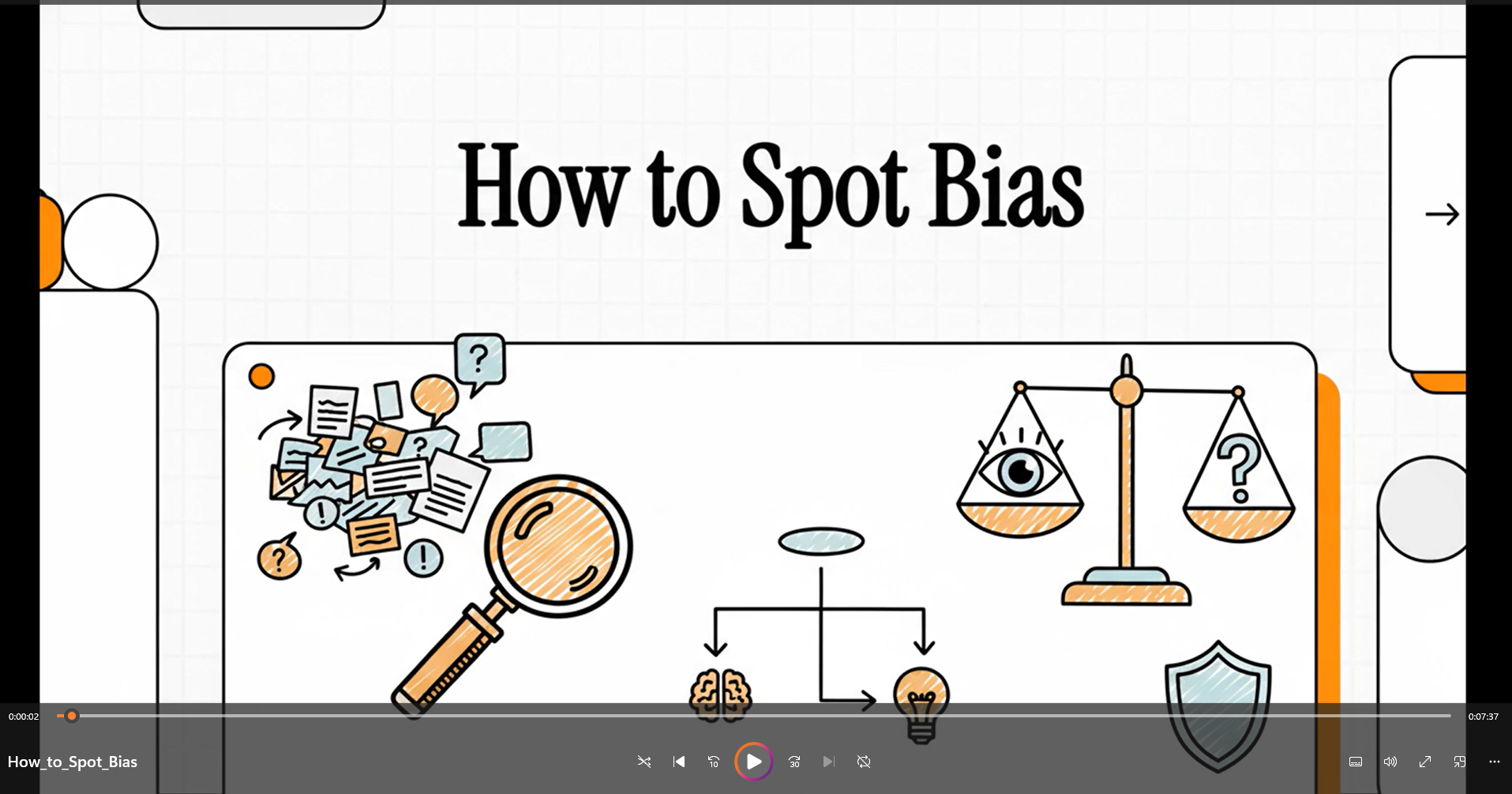
Short Explanation Video
Gives the ~6 minute run-down of the skill
-
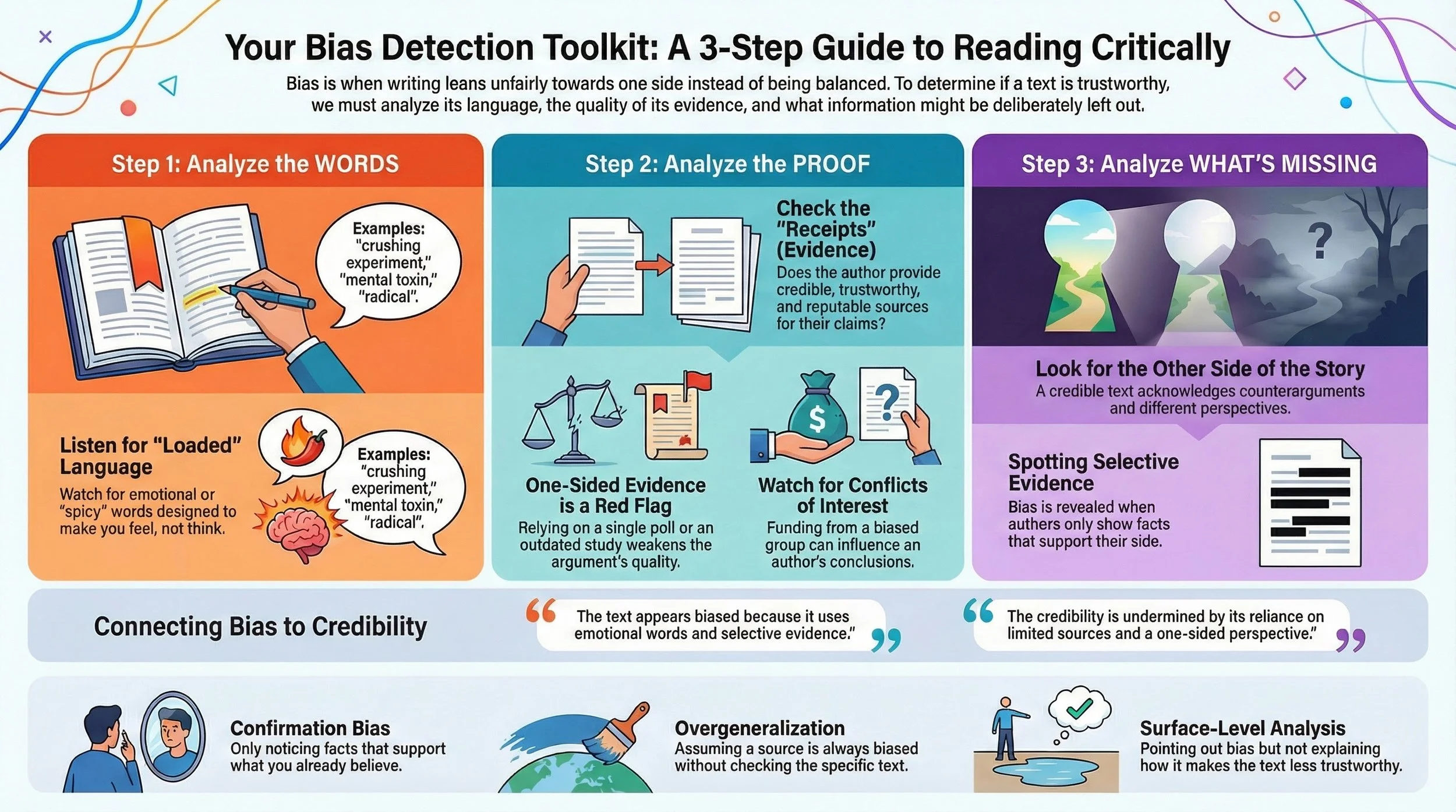
Infographics
Helps Organize and Visualize the Skill
-
Podcast
A deep dive into the intracies of the skill
-
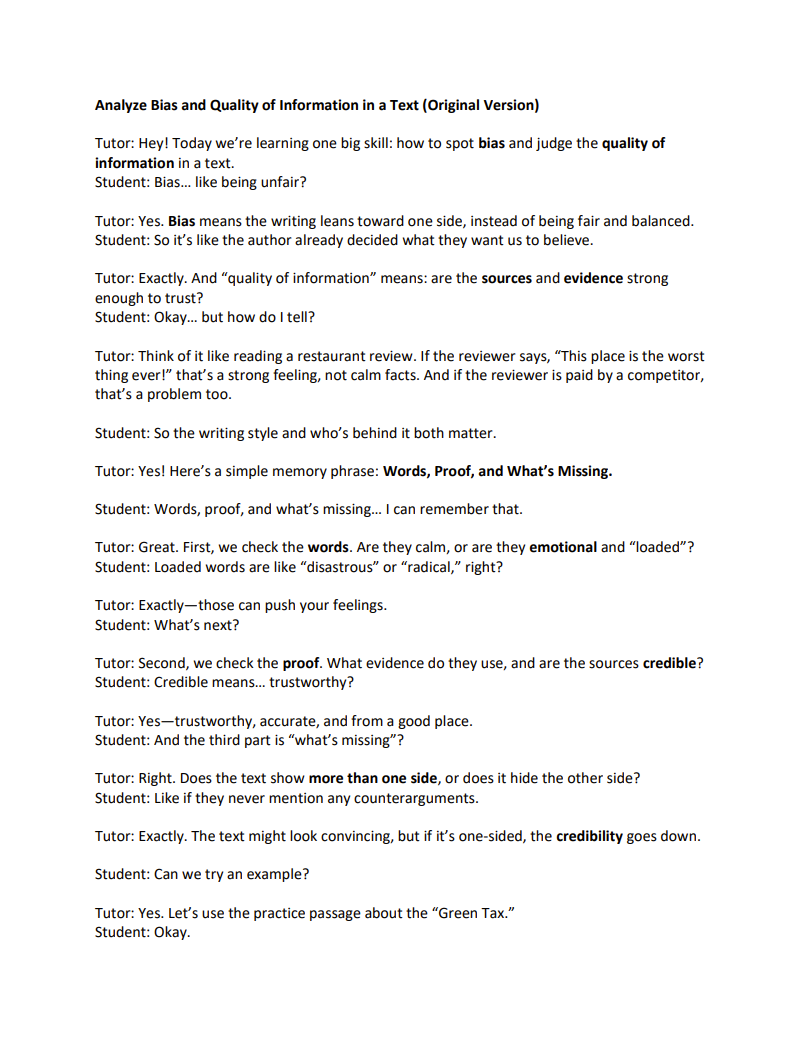
Tutoring Script
Socratic script designed with a basic vocabulary to explain the skill
-
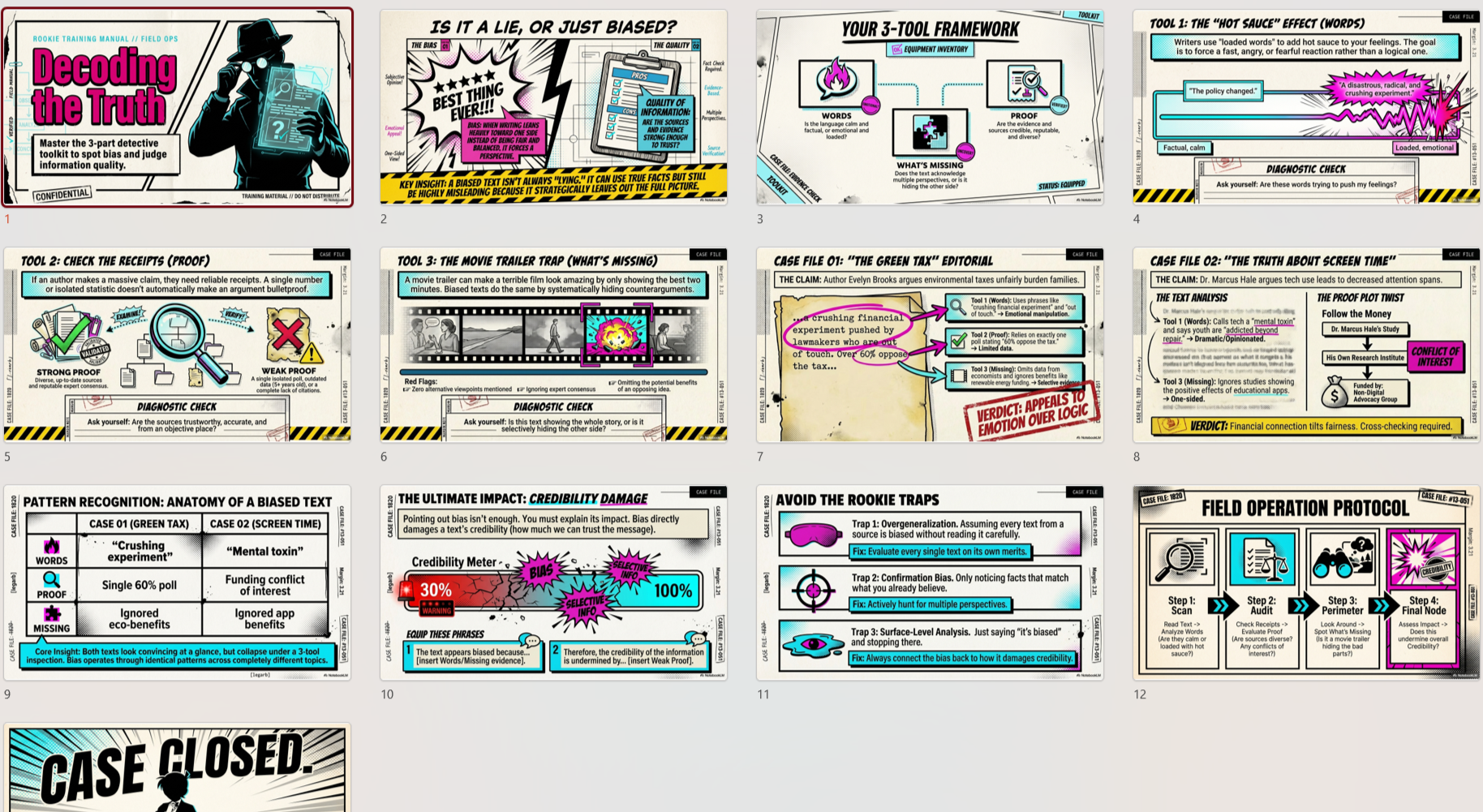
Slideshow Presentation
Powerpoint Presentation
-
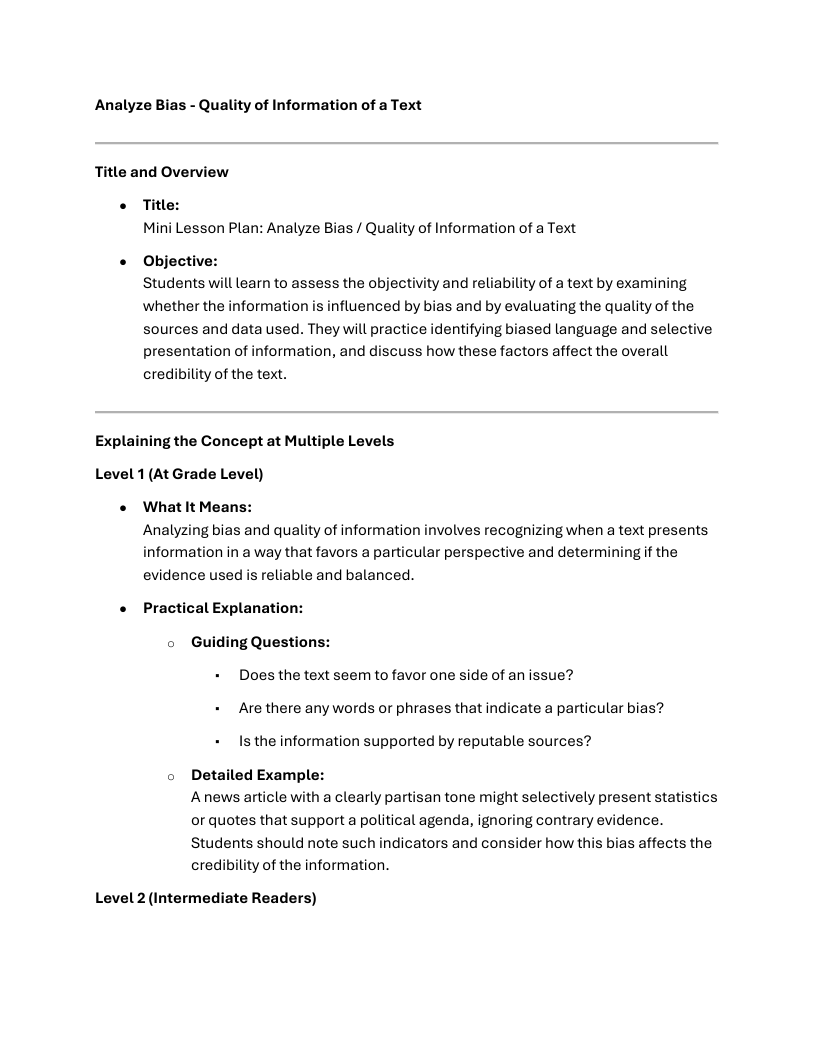
Skill Descriptions
Teacher-facing instructions on how to teach the skill
In Addition to the Skills Library, We Offer Virtual Assistants for a variety of tasks.
Meet Our Virtual Assistants
-
ELA Story Adventures
ELA Story Adventures are interactive narratives designed to make reading, inference, and analysis unavoidable—in a good way.
Students move through professionally written stories that respond to their choices. Each decision affects what happens next, requiring readers to interpret tone, track evidence, infer character motivation, and apply literacy skills in context. The genre changes, the structure adapts, but the reading work stays rigorous.
The experience feels like exploration, but it is intentionally designed to surface core ELA skills through choice, consequence, and reflection—without worksheets or artificial prompts.
Watch the demo:
https://youtu.be/HouEnJ3caYgUse the assistant:
https://chatgpt.com/g/g-692f4a6fc700819182b49ff2ae1a0a17-new-ela-adventures-by-the-ai-miracle-factoryMath Adventures
Math, Put to Work
Math Adventures place students inside scenarios where math is not an add-on—it drives the outcome.
Every problem solved affects the world, the resources, and the next set of choices. Students calculate, estimate, measure, and reason in order to move forward. Poor reasoning leads to consequences; strong reasoning unlocks progress.
The design emphasizes application over repetition. Students see how math operates in systems—balancing constraints, managing trade-offs, and making decisions—one calculation at a time.
Watch the demo:
https://youtu.be/eTJDw75RyzYUse the assistant:
https://chatgpt.com/g/g-692f38e5cf648191b3ffa31d6c03f495-math-adventures-by-the-ai-miracle-factory -
Teaching Self-Assessment
Click the center button to activate the GPT and upload the digital teaching transcript we show you how to create in Module 7 of the online course. Instantly receive a full, formal Danielson observation report with timestamped evidence, component ratings, coaching insights, and targeted action steps.
-
Custom Virtual Assistants (Built for Your Work)
If you want your own Virtual Teaching Assistants, we build those too.
AI Miracle Factory designs custom GPTs for teachers, schools, districts, universities, and public agencies—purpose-built to automate, support, or standardize specific workflows that currently take too much time or carry too much risk.
These are not generic chatbots. They are task-specific systems designed to follow your rules, your standards, your language, and your expectations—every time.
You tell us:
what task or process you want supported or automated
who will be using it (teachers, coaches, administrators, students)
what inputs it should accept (documents, data, transcripts, rubrics, standards)
what the output should look like
If you have an example of an ideal output—even a rough one—we use that as the target.
We handle the rest.
What Custom GPTs Can Do
Custom GPTs can be designed to support or automate work such as:
Lesson planning aligned to local standards or district frameworks
Curriculum analysis and vertical alignment across grade levels
IEP drafting, review, and compliance checking using district-specific rubrics
Teacher feedback and observation analysis using your evaluation framework
Student data synthesis for MTSS, RTI, or intervention planning
Parent-communication drafting using approved language and tone
Professional development planning aligned to district initiatives
Assessment creation and review with consistent rigor and formatting
Policy-aware tools that follow legal, ethical, or procedural constraints
Each assistant is designed to reduce variability, increase consistency, and lower the cognitive load on staff—without removing professional judgment.
Who Uses Them
Teachers use custom GPTs to speed up planning, differentiation, feedback, and documentation.
Schools use them to standardize practices and reduce staff burnout.
Districts use them to enforce consistency, reduce compliance risk, and scale best practices.
Higher education and agencies use them to support training, evaluation, and reporting workflows.
Because the tools are self-contained and menu-driven, they are accessible to users without technical backgrounds and require minimal onboarding.
How to Get One Built
Use the contact form and tell us what you’re trying to do.
Describe the process that needs support.
Share a sample output if you have one.We’ll design a Virtual Assistant that fits into your existing workflow—quietly, reliably, and at scale.
No extra platforms.
No retraining your staff.
Just better tools doing the work they’re supposed to do.
-
Text Scaffolder & Leveler
This assistant is designed to help teachers and students work with text—quickly and reliably. You provide any text, and it converts it into clearer, simpler, or more structured versions suitable for instruction and learning.
It offers a menu of 32 targeted transformations, allowing users to adapt the same text for different purposes without rewriting or reformatting by hand. The assistant can simplify complex readings, generate summaries, outlines, and study guides, create worksheets, graphic organizers, and assessments, and support younger learners, students with disabilities, and multilingual learners. It also assists teachers with lesson planning, activity design, and instructional feedback—using the materials they already teach.
How It Works
The workflow is intentionally minimal.
You click once to open the menu, select an option by number or name, and then paste or upload your text. The assistant applies the selected transformation and returns a classroom-ready version in seconds. No setup, no templates to manage, and no change to your curriculum.Because it works directly on your content, the output remains aligned to your goals, your standards, and your students—while reducing prep time and increasing consistency.
Watch the demo:
https://youtu.be/wwudyYR0M18Try the assistant:
https://chatgpt.com/g/g-68a792c83e908191b493401b040134fe-text-scaffolder-and-leveler-by-ai-miracle-factory -
The Auto Annotator is designed to make texts immediately usable for instruction. Given any text, it reads it paragraph by paragraph and inserts clear, structured annotations directly after each paragraph—no footnotes, no toggles, no extra layers.
The format is consistent and predictable:
Paragraph 1
Original text
Annotation: explanation, context, or guidanceParagraph 2
Original text
Annotation: explanation, context, or guidanceThis structure keeps the original text intact while adding support exactly where readers need it.
The assistant can annotate in multiple modes, depending on instructional purpose. It can apply a specific literacy skill (such as tracing argument structure or analyzing tone), generate general close-reading annotations that clarify ideas and rhetorical moves, produce simplified, student-ready annotations with guiding questions, or follow any custom annotation style the user specifies.
The workflow is straightforward: upload or paste a text, select an annotation style, and receive a classroom-ready version in seconds. The annotations align to the user’s content, standards, and goals—without replacing curriculum or requiring manual markup.
The result is faster preparation, consistent quality, and annotations that can be used immediately for teaching, discussion, or student support.
Watch the demo:
https://youtu.be/0FzqZczVXT4Try the assistant:
https://chatgpt.com/g/g-691bcc5e0e14819197158fda66a4f9bb-the-annotator-by-the-ai-miracle-factory -
Subject Area Skills Analyzers
The Skills Analyzers are designed to answer a simple but time-consuming question:
What skills am I actually teaching here—and how should I explain them?Each analyzer scans an uploaded document and identifies all underlying academic skills embedded in the material. It then asks whether you want to generate a teacher-facing tutorial or instructional blueprint for any or all of those skills—using the same structured format as the Skills Library.
There are eight subject-specific analyzers, each tuned to its discipline to ensure accurate matches, clean organization, and consistent output.
Math Skills Analyzer
Upload any lesson, worksheet, standard, or assessment. The analyzer identifies all relevant math skills, separates core reasoning skills from content-specific strands, and can instantly generate step-by-step teacher explanations for each one.
Demo: https://youtu.be/TtJaMNs5aG4
Try it: https://chatgpt.com/g/g-692f581ff20c81918c974e70e0e8ee37-math-skills-analyzer-2-0-by-the-ai-miracle-factorySocial Science Skills Analyzer
Upload a document to receive immediate skill matches across historical thinking, argumentation, sourcing, and analysis—along with optional teacher tutorials for explaining each skill clearly.
Demo: https://www.youtube.com/watch?v=YHnt_43Q2lY
Try it: https://chatgpt.com/g/g-6930af110b548191bf2b1bd799d42bfd-social-science-skill-analyzerLife Science Skills Catcher
Upload a document, diagram, image, or screenshot. The analyzer extracts all aligned life science skills and organizes them cleanly, with the option to generate full teacher explanations and classroom examples.
Demo: https://youtu.be/tS5autNJlIU
Try it: https://chatgpt.com/g/g-6930b3f620448191a6ffc3ee36bed08b-life-science-skill-analyzerChemistry Skills Analyzer
Upload instructional materials to match them precisely to core chemistry skills, content skills, or both. Generate clear, teacher-ready explanations for every aligned skill.
Demo: https://youtu.be/V0E9Rb-T9jc
Try it: https://chatgpt.com/g/g-6930b7b471348191bb95e63ee4a706ef-chemistry-skills-analyzerPhysics Skills Analyzer
Upload any lesson, standard, or image. The system scans your content, identifies all relevant physics skills, and produces structured instructional guidance for each one.
Demo: https://youtu.be/qNvPMqjHx6Y
Try it: https://chatgpt.com/g/g-692f5db0630881918688eaf8aa6c22c6-physics-skills-analyzer-by-the-ai-miracle-factoryEarth Science Skills Analyzer
Upload a document and the analyzer maps each section to the correct Earth Science skill set. Generate classroom-ready tutorials, examples, and explanations without manual cross-referencing.
Demo: https://youtu.be/tv-JF1lK5_U
Try it: https://chatgpt.com/g/g-6930b7f575c481919736476e0b8c93e5-earth-science-skills-analyzerK–8 Science Skills Analyzer
Upload instructional materials to detect all aligned K–8 science skills, with optional teacher explanations generated instantly.
Demo: https://www.youtube.com/watch?v=_IEekSgjgOA
Try it: https://chatgpt.com/g/g-693ed68eb81081919ecba56c0939aed6-k-8-science-skills-analyzerLiteracy Skills Analyzer
Upload any text and the analyzer maps it line by line to the appropriate literacy skills. Generate clear, classroom-ready tutorials and examples for each match.
Demo: https://youtu.be/hazVtaqK3EU
Try it: https://chatgpt.com/g/g-67b1e1b307d88191bf3efdf3f9cb47c5-literacy-skills-analyzer-by-the-ai-miracle-factoryWhy This Matters
The analyzers eliminate manual standards hunting, reduce planning time, and ensure instructional accuracy. Instead of guessing which skills are embedded in a text—or how to explain them—you get precise matches and consistent, reusable teaching guidance in seconds.
The work stays yours.
The thinking gets clearer.
The planning gets faster. -
Engineer any text
Text Engineer is built to do the work teachers usually have to assemble piece by piece.
Once you upload a text, it automatically structures it for instruction by generating clear chunk headings with guiding questions, identifying high-value Tier 2 and Tier 3 vocabulary, surfacing meaningful morphology opportunities, and mapping out I Do / We Do / You Do instructional moves. It also produces layered text-dependent questions, increasingly rigorous essential questions, and estimates the underlying literacy or social studies skills embedded in the text.
In addition, the tool generates a concise teacher tutorial—a mini-lesson explaining one of the identified skills in a clear, classroom-ready format.
The result is a fully engineered instructional text: structured, aligned, and ready to teach, without manual breakdowns or guesswork. The original content stays intact; the instructional design is added on top.
Watch the demo:
https://youtu.be/UxM4x_LMJuUTry the assistant:
https://chatgpt.com/g/g-6939f32ae1588191bf4840272c679033-final-text-engineer -
Create skill based lessons
This tool is designed for teachers who don’t want generic lesson plans.
Upload a passage, worksheet, article, or draft lesson along with your state standards, and the generator produces a complete, classroom-ready 45-minute lesson. It identifies the relevant literacy and content skills, infers the appropriate grade level, and writes out modeling, questioning, scaffolds, and instructional moves in full.
The lesson is structured, aligned, and immediately usable—without template filling, reformatting, or manual standards mapping. Your content stays central; the instructional design is added on top with consistency and precision.
The result is faster planning, clearer alignment, and lessons that reflect how teachers actually teach.
Watch the demo:
https://youtu.be/jLRROZo4RlUTry the assistant:
https://chatgpt.com/g/g-6911001824f88191a02c043c5b57c562-custom-lesson-generator-by-the-ai-miracle-factory -
Item descriptionThe AI Miracle Factory helps educators turn skills lists and unit materials into clear, ready-to-teach lesson plans. It matches lessons to the exact skills you provide, organizes questions and activities around those skills, and lays everything out in a simple 45-minute class flow. Nothing is invented, nothing is overcomplicated—just clean, aligned planning teachers can use right away.
Watch the Youtube Demo:
Use the Virtual Assistant:
-
This GPT is a custom version of ChatGPT designed to help educators quickly create classroom assessments and feedback tools. Given a unit, lesson, standard, or topic, it can generate:
Assessments: pre- and post-assessments, primary (on-level) and reach (stretch) tasks, quizzes, exit tickets, projects, performance tasks, and discussion prompts.
Question types: multiple choice, short answer, constructed response, essay prompts, error analysis, word problems, data/graph analysis, DBQs, timeline and map tasks, diagram labeling, and role-plays.
Differentiation: adapted questions and tasks for SPED, ELL, and advanced learners, with adjusted language, scaffolds, or rigor.
Rubrics & feedback: 4-level rubrics, simplified checklists, peer/self-assessment tools, and sample strength-based feedback.
Subject-specific tasks: tailored assessments for math, science, social studies, ELA, arts, music, and world languages (including speaking, listening, and cultural projects).
The teacher provides the focus; the GPT builds aligned, ready-to-use assessment materials around it.Each module is about ten minutes and pairs a clear explanation with a live screencast demonstration, so teachers see exactly how the techniques work in practice. Participants can pause, try the same prompts with their own materials, and continue with immediate results. Downloadable templates, prompt checklists, and ready-to-use scripts help teachers leave with concrete tools rather than theory.
The course is designed for educators who want something quick, accessible, and genuinely useful. It addresses common concerns around privacy, ethics, and academic integrity while showing how to implement AI safely and responsibly. Because it integrates directly with Miracle Factory tools, teachers can move from learning to doing in a single click.
Praised for its clarity and practicality, the course has helped teachers generate real lesson materials during the training itself and gain confidence to bring AI into their practice the very next day. It’s an efficient, affordable entry point for any educator looking to harness AI without the overwhelm of traditional PD.
Watch the Youtube Demo Here:
Use the Virtual Assistant:
I AM A:
-

AP, Principal, or District Leader
-

Graduate Teaching Student
-

K-12 Teacher
-

Student
-

A Special Education Professional
-

College Administrator
-

International
-

Self-Study and Homeschooling
-

Parent
-

Coach or Athlete
-

Manager or Executive
Description goes here -

Independent Living Professional
Description goes here
Explore More of What We Do

The Book
A How-to Manual For Teachers for Using AI in the Classroom

Tutorials and Workflows
An Overview of the Book and its approach

Use Our Free Virtual Teaching Assistants
Specialized, easy-to-use bots to accomplish common tasks

Privacy
How to Safeguard it


Services
Services for Schools and Teachers
Explore The Skills Library
10,000+ Academic and Life Skills, Explained through videos, podcasts, powerpoints, tutoring scripts, and more

About Us
AI Miracle Factory is a teacher-founded platform that offers a realistic and pragmatic comprehensive ecosystem – including a step-by-step online course, the world’s first K–12 Teacher Tutorials, and a suite of AI “virtual teaching assistant” GPT applets – all designed to streamline a teacher’s workday. By leveraging WISSAM’s™ instructional framework (Whole-language Instruction Supported by Standards, AI, and Metrics), the company helps teachers transform student data into tailored lessons and feedback.