


K-12 Teachers

The Miracle Factory helps teachers teach skills more clearly.
Skills-Centered Instruction
School is where you learn skills, such as deciphering context clues, identifying cause and effect, summarizing a text, designing experiments, identifying variables, constructing claims with evidence, using graphs to interpret patterns, and distinguishing observations from inferences, and many, many others.
Many students do not struggle only because the content is hard, they often struggle because the skill underneath the lesson has not been explained clearly, practiced enough, or supported in enough ways.
The Miracle Factory is built to solve that problem.
It helps teachers:
identify the skill in a lesson or text,
teach that skill more clearly,
give students the right supports,
and build lessons and assessments without starting from scratch.
-
use our subject-specific virtual assistants to assess the
teach that skill more clearly,
give students the right supports,
and build lessons and assessments without starting from scratch.
The Virtual Assistants enhance whatever you’re already teaching by letting you upload a text or task, identify the underlying skills, and immediately integrate explicit skill instruction with anything from light scaffolds to full skill-based support.
The platform also builds your capacity through tutorials and AI fluency training, so you’re not just using tools—you’re learning how to teach more effectively across different subjects and situations.
Most importantly, it organizes everything into a clear workflow: analyze materials or student work → identify missing skills → match them to the Skills Library → generate targeted supports → adapt them with AI (for example, adding multilingual vocabulary or scaffolds), so you can precisely diagnose and support what each student actually needs.


Start by Exploring The Skills Library
We have collected almost every academic and independent living skill and created a libary of them.
The Skills Library is the foundation of the platform.
It is a large library of skill bundles. Each bundle focuses on one skill.
The library includes K–12 academic skills and also broader skill areas such as new teacher skills, communication skills, and life skills. The platform materials describe it as covering more than 10,000 skills overall, along with a separate group of 176 new teacher skills.
-
AI Miracle Factory treats skills as complete units of instruction that can be explained, modeled, scaffolded, and taught in different ways.
The Skills Library is made up of skill bundles. Each bundle covers one academic skill and is composed of six files. One of the strongest parts of the AI Miracle Factory story is that each skill is not just identified; it is developed into a full learning experience.
Each bundle includes:
A teacher-facing document that explains how to teach the skill.
Two tutoring scripts that explain the skill to a fictional student using about a sixth-grade reading level. One of the two scripts uses more analogies.
A slideshow presentation in PowerPoint format.
An infographic that can be used for instruction or for student note-taking.
A short explanation video, usually about six minutes long.
A longer podcast, usually about twenty minutes long.
These materials can be used in different ways. Together, they can function as a complete support system for teachers and students.
There are about 5,000 K–12 academic skills in the system, usually organized by subject and grade.
-
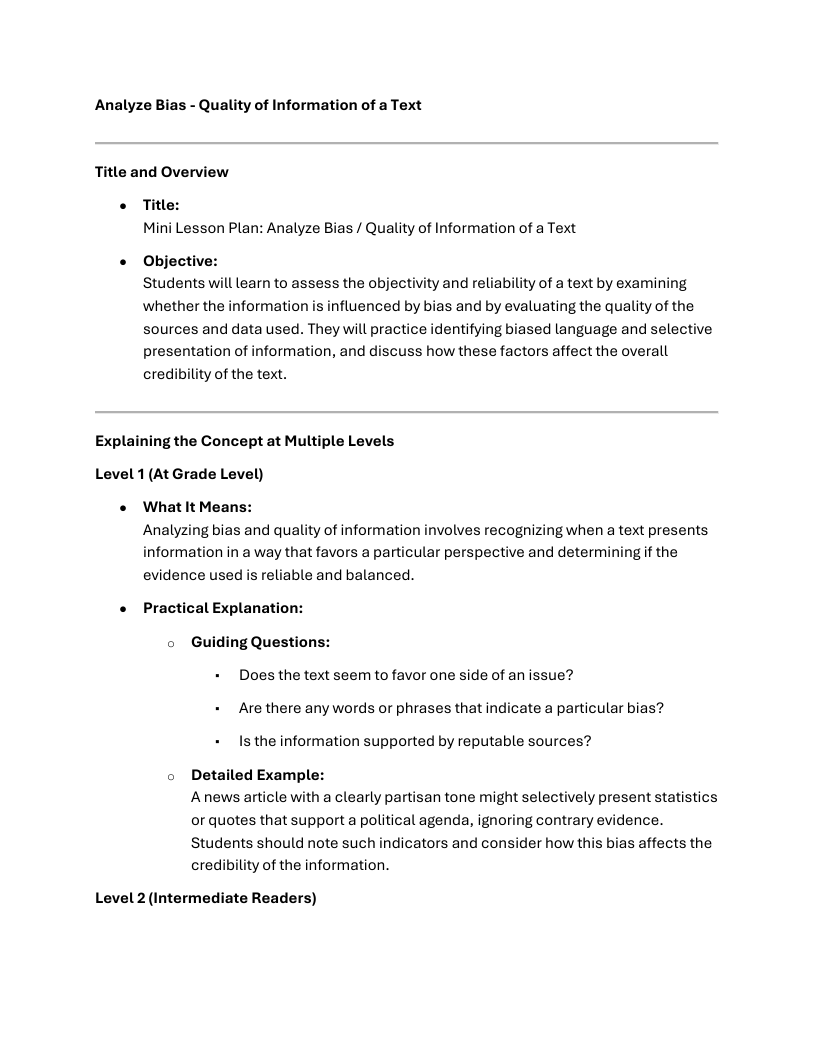
When teachers are told that a student is “below proficiency,” they need a system that tells them exactly what that means instructionally. If a student is weak in identifying bias, evaluating evidence, solving multi-step equations, interpreting scientific data, or making sound real-life decisions, that skill has to become visible, teachable, and actionable.
It believes a skill should be teachable through sound, image, language, dialogue, and reflection. That makes the ecosystem more inclusive for multilingual learners, students with disabilities, students with writing anxiety, and students who need repeated exposure in different forms before mastery happens. The message is: we make each skill accessible from multiple directions so more students can reach it.
So if the skill is something like identifying bias, recognizing craft moves, understanding proportional reasoning, evaluating a scientific claim, or making a practical decision in daily life, the system does not stop at naming that skill. It provides instructional assets around it. It makes the invisible visible. It turns a standard into something concrete enough for a teacher to teach and for a student to actually learn.
AI Miracle Factory is saying, “Here is what this skill means, here is how to teach it, here is how to scaffold it, and here is how to help different learners actually grasp it.”AI Miracle Factory gives each skill a complete set of resources that allow it to be taught explicitly, revisited in multiple modalities, and understood from multiple angles.
Skill Bundles
The Skills Library is made up of skill bundles. Each bundle covers one academic skill and is composed of six files.
Each bundle includes:
A teacher-facing document that explains how to teach the skill.
Two tutoring scripts that explain the skill to a fictional student using about a sixth-grade reading level. One of the two scripts uses more analogies.
A slideshow presentation in PowerPoint format.
An infographic that can be used for instruction or for student note-taking.
A short explanation video, usually about six minutes long.
A longer podcast, usually about twenty minutes long.
-
The Skills Library is the foundation of the platform.
It is a large library of skill bundles. Each bundle focuses on one skill.
The library includes K–12 academic skills and also broader skill areas such as new teacher skills, communication skills, and life skills. The platform materials describe it as covering more than 10,000 skills overall, along with a separate group of 176 new teacher skills.
These materials can be used in different ways. Together, they can function as a complete support system for teachers and students.
There are about 5,000 K–12 academic skills in the system, usually organized by subject and grade.
How can teachers use it?
Teachers can use the Skills Library:
before class for pre-teaching,
during class for direct instruction,
and after class for review and homework support.
It can also be used below grade level when a student needs to rebuild missing foundational skills.

Skill Bundles Include:
-
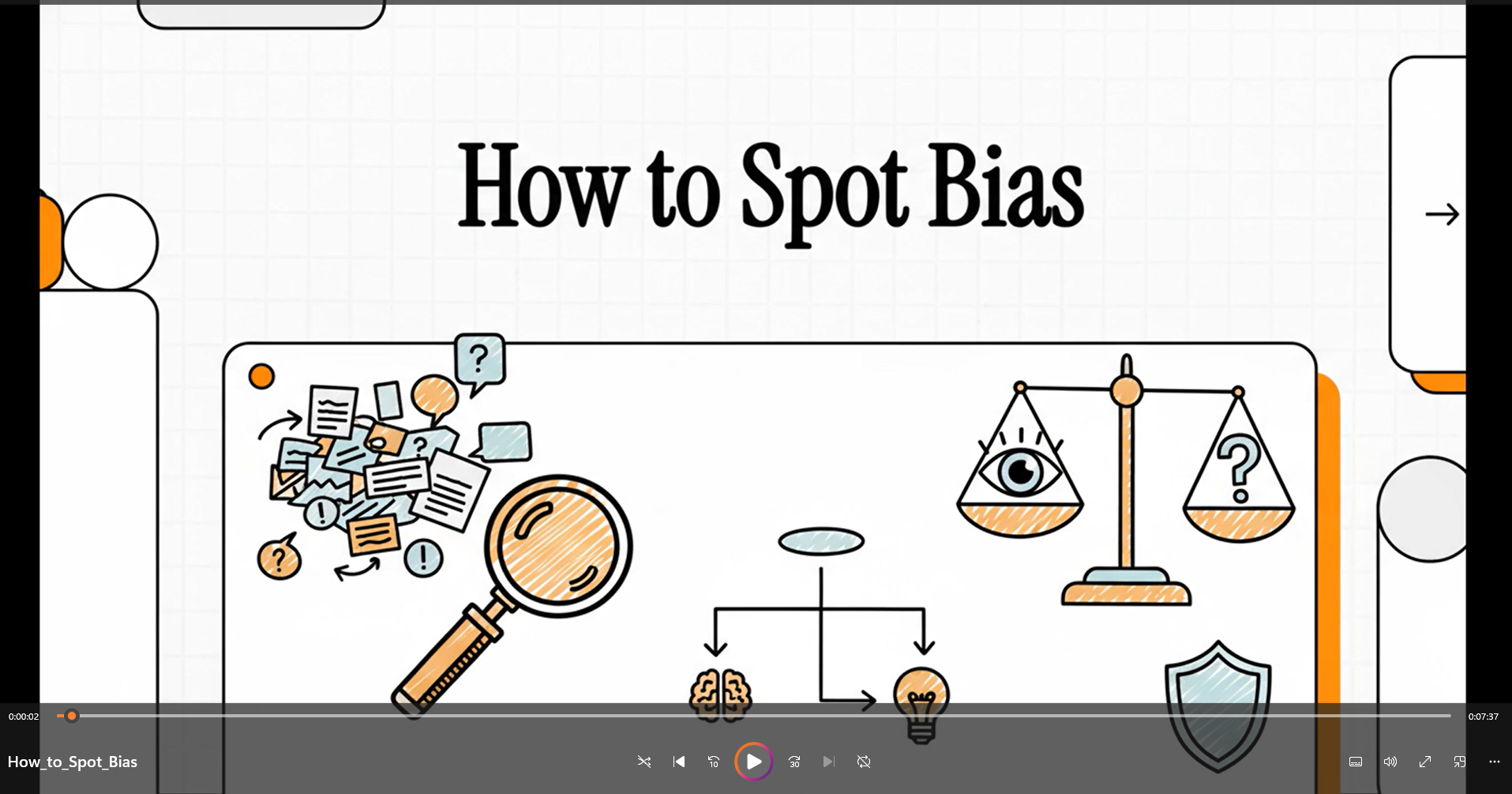
Short Explanation Video
Gives the ~6 minute run-down of the skill
-
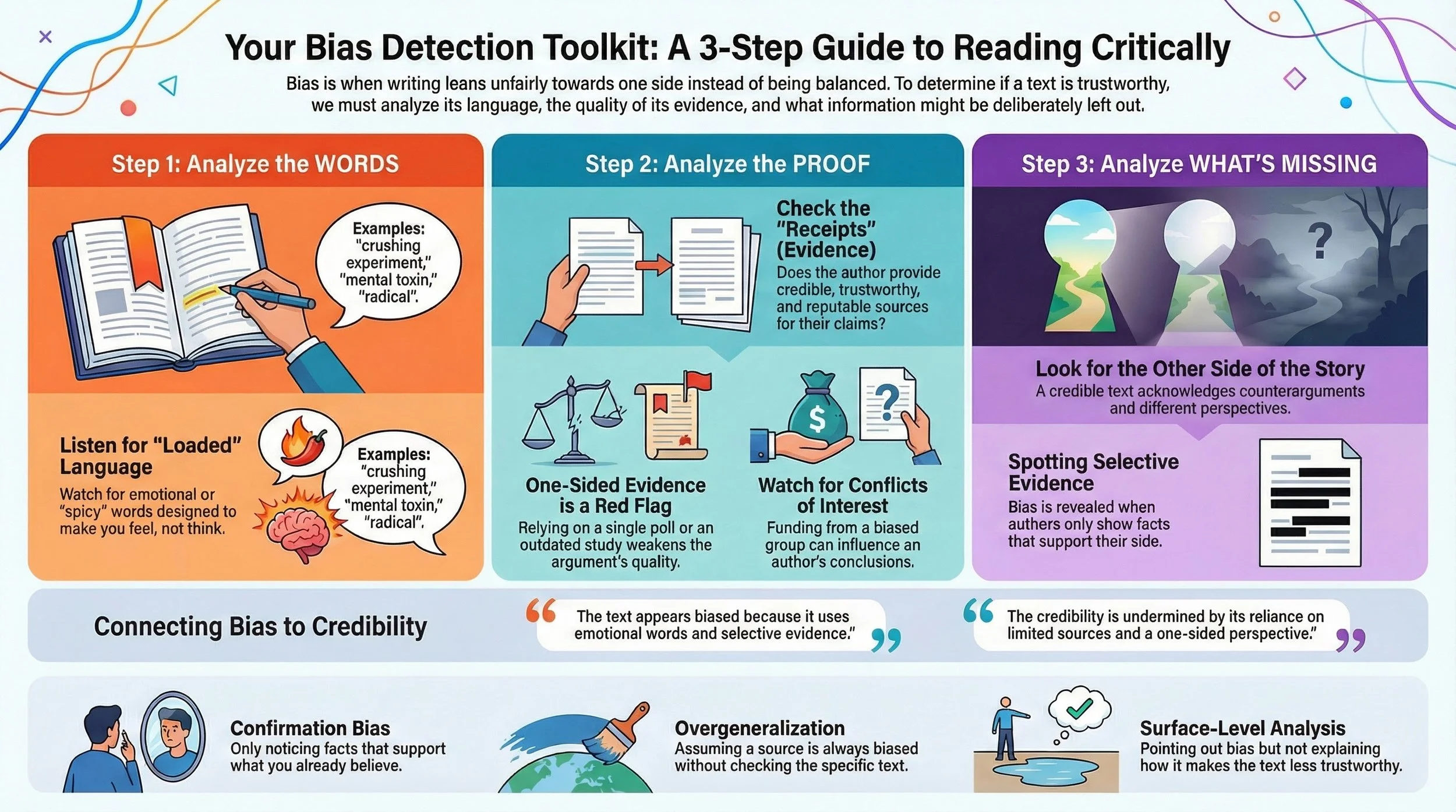
Infographics
Helps Organize and Visualize the Skill
-
Podcast
A deep dive into the intracies of the skill

-
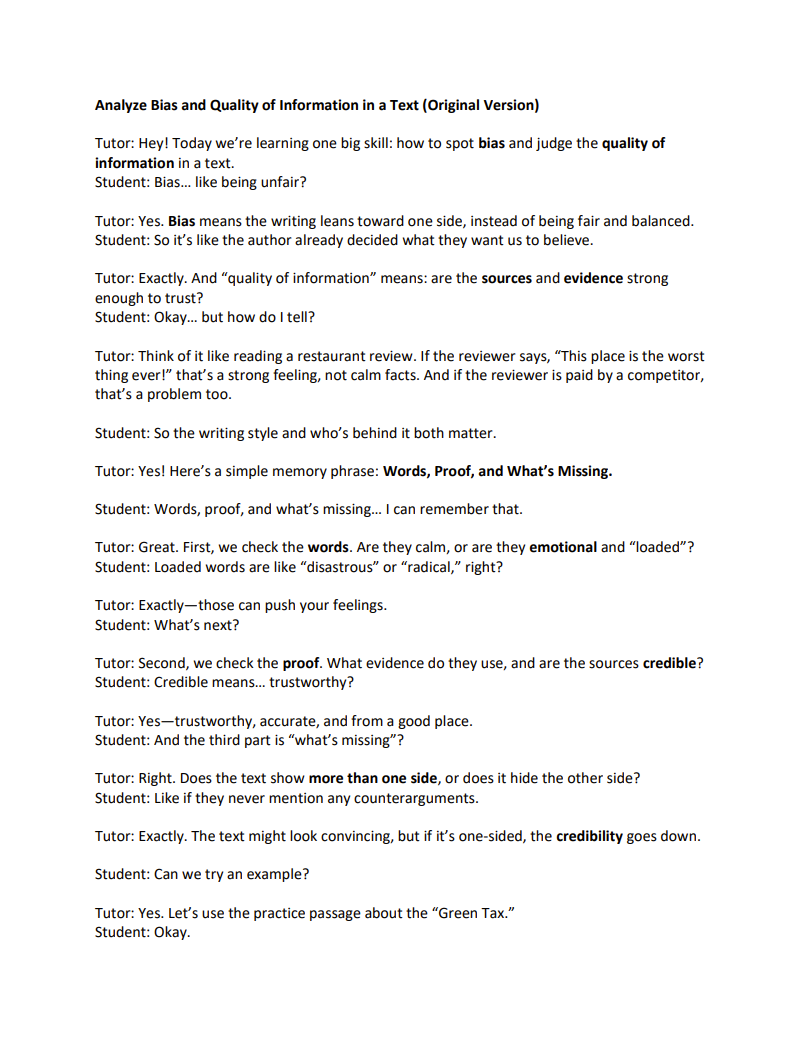
Tutoring Script
Socratic script designed with a basic vocabulary to explain the skill
-
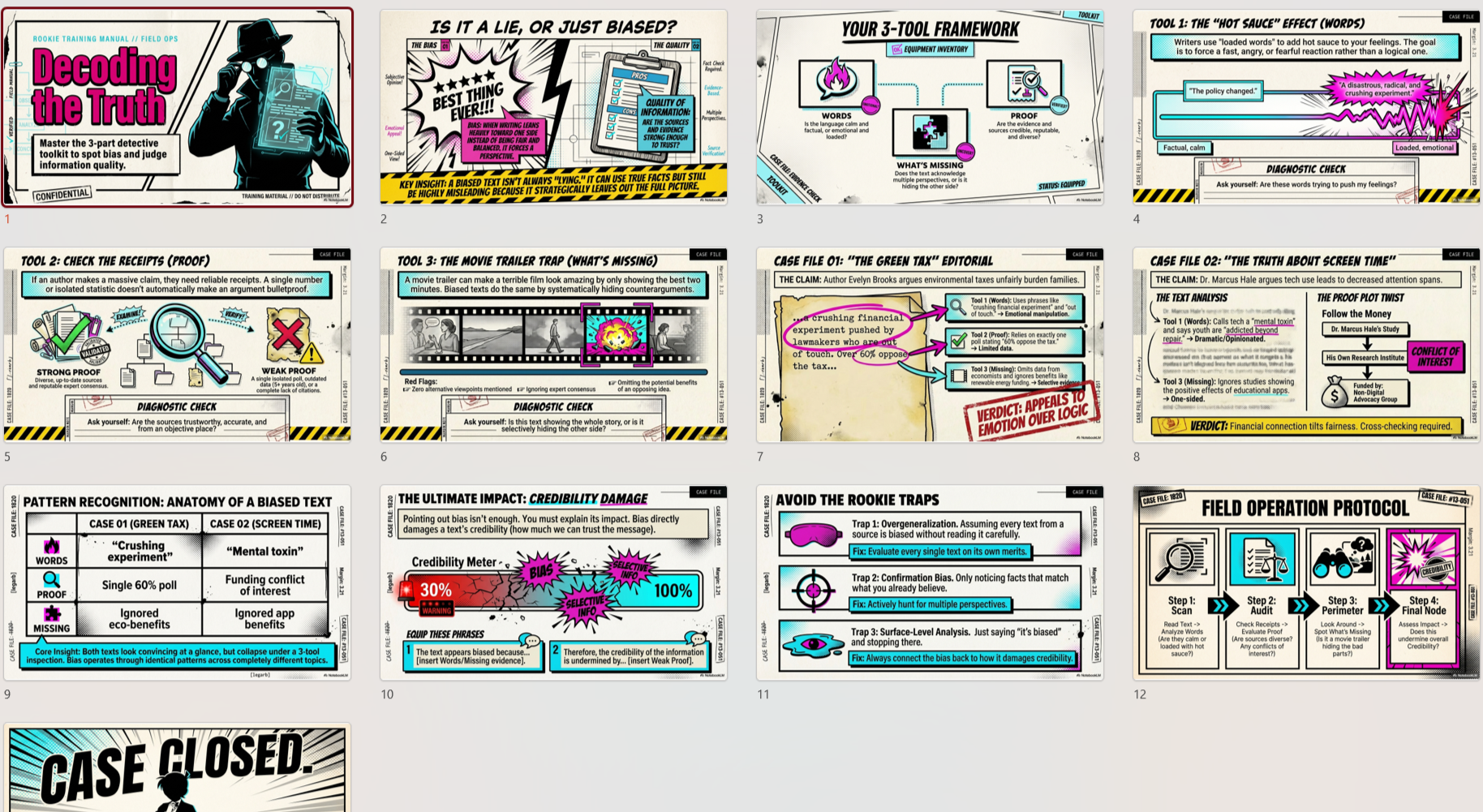
Slideshow Presentation
A powerpoint
-
Skill Descriptions
Teacher-facing instructions on how to teach the skill
The Virtual Teaching Assistants
The virtual assistants help you figure out what skill students need to understand a text, lesson, or assignment. They also help you create lessons, supports, and assessments based on that skill. In simple terms, they help you turn material into clearer teaching.
Virtual Teaching Assistants
For Teachers & Students
-

Subject Specific Assistants
A subject-specific set of bots that identfy the underlying subject skills of any text
-

Lesson Plan Generator
Analyzes the skills needed to understand a text, and converts it into a lesson plan
-

Custom Unit Generator
Identifies the underlying skills from your uploaded documents and builds a unit plan
-

Text Modifier
Modify or Scaffold any uploaded text in 32 ways
-

Auto Annotator
Closely annotates any text, paragraph by paragraph
-

Text Engineer
Creates seven consistent, fundamental supports for any text
-

Custom Assessment Generator
Upload any document and choose from 58 different types of assessments to create
-

Teacher Self Assessment Analyzer
Upload a digital transcript of you teaching and compare it against the Danielson Rubric.
-

ELA Choose Your Own Adventures
Experience open-world, generated literature: Now you can read and write your own story
-

Math Adventures
Open-world scenarios where you use Math to save the world
Workflows: Using Virtual Assistants in the right order
Workflows are step-by-step sequences for using the parts of the platform together.
Upload the text to the subject-specific assistant
Identify the underlying skill
Go to the Skills Library for teacher-facing support
Use Auto Annotator, Text Modifier, or Text Engineer
Use the Custom Lesson Generator
Use the Assessment Creator
-
A teacher is walking down 125th Street in Harlem, passing the Apollo Theater. She starts wondering about the history of women’s contributions to the Apollo and thinks, this could become a lesson. She does not have a full plan yet—just a strong idea rooted in place, culture, and curiosity.
-
Sometimes a teacher already has the material, like a passage, article, worksheet, poem, speech, primary source, or chapter from a textbook. The challenge is not coming up with content. The challenge is figuring out what skills are required to understand it, how to support students through it, and how to build instruction around it.
The workflow starts with the Custom Lesson Generator or Custom Unit Generator, depending on whether the teacher wants a single lesson or a broader sequence. These tools identify the underlying academic skills needed to understand the text and use them to design instruction. The teacher can then go to the Skills Library to get direct support on those specific skills. If the text is too difficult, the Text Modifier, Text Engineer, or Auto Annotator can simplify it, annotate it, chunk it, and make it more accessible. The Assessment Creator then builds aligned questions, rubrics, or tasks. This solves the problem of having content without a clear instructional pathway.
-
An English teacher notices that her students keep reading past important details without slowing down. They can summarize, but they miss tone, word choice, and what the author is really doing. She realizes the problem is not motivation alone. It is a close-reading skill gap.
She starts with the Auto Annotator, uploading a short passage that students have struggled with. The annotator helps model close reading by adding comments about meaning, claims, evidence, rhetorical choices, and important details. She then connects the reading skill to the Skills Library, where she can find direct support for teaching tone, argument, central idea, or another literacy skill. Next, she uses the Custom Lesson Generator to build a lesson based on the annotated text, and the Assessment Creator to make a short close-reading check or constructed response. If needed, she uses the Text Modifier to create a simpler version of the same passage.
This solves the problem of students reading text without truly engaging with it.
-
A social studies teacher comes across a photograph of children integrating a school in the 1960s. The image is powerful, and she knows students will react to it, but she wants to build more than just a conversation. She wants to turn that image into a rigorous lesson.
She begins with the Custom Lesson Generator, uploading the image and prompting the system to create a lesson around it. The lesson identifies underlying skills like observation, inference, historical context, and evidence-based interpretation. If she wants to expand it, she uses the Custom Unit Generator. She can then use the Skills Library to strengthen those specific skills and bring in a related article or primary source through the Auto Annotator for close reading. If students need help with the reading, she uses the Text Modifier. Finally, she creates a short writing task or discussion rubric with the Assessment Creator.
This solves the problem of turning a compelling image into structured academic instruction.
-
Mr. Patel, a high school science teacher, wants his students to read a complex article explaining climate feedback loops. The content is important—it connects directly to his unit on climate systems—but he knows some students will struggle with the dense vocabulary, technical terms, and long explanations. In past years, those students either shut down or relied on others. He doesn’t want to replace the text—he wants all students to access it.
He starts by uploading the article into the Auto Annotator, which helps unpack the meaning section by section. It explains key concepts, highlights cause-and-effect relationships, and shows how the scientific explanation is built, giving him a clear way to model how to read complex informational text.
He considers using the Text Engineer, which would give him a consistent structure—chunking the article, adding guiding questions, and organizing the reading into a step-by-step process. He keeps that in mind as a reliable scaffold if students need more structured support during the lesson.
Next, he turns to the Text Modifier to differentiate access. He creates a more accessible version of the article, along with a simplified vocabulary list and guided notes. Now, different groups of students can work with the same core scientific ideas, but with varying levels of support.
As he plans, he realizes he also needs more targeted differentiation for specific students. He uses the Accommodations Suggester Virtual Assistant to generate supports aligned to his class: sentence frames for explaining cause and effect, visuals for key processes, guided questions for students who need more structure, and alternative ways to demonstrate understanding for students with IEPs or language needs.
With those supports in place, he moves to the Custom Lesson Generator. It identifies the underlying skills in the text—such as explaining systems, analyzing cause-and-effect relationships, and interpreting scientific information—and builds a full, skill-based lesson with modeling, guided practice, and differentiated supports already embedded.
To strengthen his instruction, Mr. Patel checks the Skills Library, where he finds clear explanations, common misconceptions, and even tutoring-style scripts to help students practice explaining complex processes out loud.
Finally, he uses the Assessment Creator to design a short written explanation task and rubric aligned to those same skills, with options for different levels of response.
By the time he teaches the lesson, differentiation is built in from the start. Every student is working toward the same scientific understanding—but with the scaffolds, supports, and accommodations they need to get there. Instead of lowering rigor, Mr. Patel has made the content accessible without losing its complexity.
-
A teacher has a student reading several grade levels below the rest of the class. The student cannot simply be handed the same material and expected to keep up. At the same time, the teacher does not want to water everything down or lose sight of the real academic goal.
She begins by identifying the core skill the class is working on, then uses the Skills Library to pull direct instruction and simpler supports for that same skill at a more accessible level. The Text Modifier, Text Scaffolder, or Auto Annotator can then adapt the materials so the student can still work toward the same skill, even if the text and support look different. The teacher can also use the Assessment Creator to make a more reachable check for understanding tied to the same underlying skill.
This solves the problem of keeping a struggling student included in real learning while still meeting them where they are.
-
A special education teacher—or a general education teacher with several students on IEPs—is planning a lesson and knows that some students will need additional support with language, structure, pacing, and clarity. The goal is not to change the lesson, but to make the path into it more accessible.
She starts by gathering insight into her students through the work she is already collecting and grading. By looking closely at student responses, she identifies patterns—who struggles with vocabulary, who has trouble organizing their thinking, who can’t yet explain their reasoning. This gives her a clearer picture of where support is actually needed.
To deepen that understanding, she uploads her lesson materials into the Subject-Specific Assistant, which identifies the underlying skill being taught. This helps her separate the core objective from the barriers students might face in reaching it.
She then turns to the Skills Library for direct support on that skill. Here, she finds multiple ways to teach it—videos, infographics, tutoring scripts, and podcasts—all of which are already differentiated. This is especially valuable for students with IEPs, because they can access the same skill through different modalities: visual, auditory, conversational, and written.
Next, she adapts the materials themselves. Using the Text Modifier or Text Scaffolder, she simplifies readings, builds guided notes, adds vocabulary support, creates checklists, and breaks tasks into manageable steps. If the reading is especially dense, she uses the Auto Annotator to model close reading and make meaning more visible. She can also use the Text Engineer as a consistent structure—chunking text, adding guiding questions, and organizing instruction in a predictable way for students who need it.
To ensure supports are aligned to individual needs, she uses the Accommodations Suggester Virtual Assistant. It generates targeted accommodations like sentence frames, pacing adjustments, alternative response formats, and structured supports that directly align with student IEP goals.
When it comes to assignments and assessment, she uses the Assessment Creator and other assistants to build individualized tasks. She can adjust complexity, language, format, and expectations while still keeping the same underlying skill. This means some students might complete a written response, others might use sentence frames, and others might demonstrate understanding through guided or alternative formats—all aligned to the same objective.
This process solves a critical problem: it allows the teacher to maintain rigor and purpose while individualizing access. Using real student insight, differentiated skill resources, targeted accommodations, and flexible assessments, she creates multiple pathways so every student can meaningfully engage with the same core learning.
-
A teacher knows that some students need more support outside of class, but she doesn’t want to send home random packets that families may not understand or use effectively. She wants students and families to receive something focused, usable, and clearly connected to what the student is actually trying to learn.
She begins by identifying the exact skill the student needs—using classroom data, work samples, or the Subject-Specific Assistant to pinpoint the underlying gap. Instead of sending general practice, she targets a specific skill the student is ready to work on.
She then turns to the Skills Library, which becomes the foundation for at-home learning. What makes it especially powerful is that it is already fully differentiated and designed for independent or supported use at home. She can pull together a simple, structured learning sequence using multiple formats:
Videos that explain the skill in clear, accessible language
Infographics that students can use as visual guides or even as note-taking organizers
Tutoring scripts that allow a parent, sibling, or peer to sit with the student and work through the skill together like a guided conversation—or for the student to read independently if needed
Podcasts (including interactive ones) that reinforce the skill through listening, ideal for review, repetition, or pre-teaching
This gives families flexibility—students can watch, listen, read, speak, or interact with the skill depending on how they learn best. It’s not one format—it’s multiple entry points into the same learning goal, which is especially important for students with IEPs or language needs.
To make the materials even more accessible, she can use the Text Modifier to simplify directions, create guided notes, or add vocabulary support for home use. She then uses the Assessment Creator to build a short, clear check for understanding—something manageable that directly measures the same skill.
To increase motivation and engagement, she also incorporates the ELA Adventures and Math Adventures:
In ELA Adventures, students can create and write their own stories while practicing skills like inference, tone, or evidence-based thinking within a narrative.
In Math Adventures, students solve problems in real-world scenarios where their math decisions affect outcomes, helping them practice reasoning, modeling, and application in a meaningful context.
Both of these are not just engaging—they are skill-aligned and assessable, meaning the teacher can still evaluate student thinking and progress based on what they produce.
This approach transforms homework from something passive and disconnected into something targeted, flexible, and engaging. Instead of sending home packets, the teacher sends home a complete, differentiated learning experience—one that students can actually use, families can support, and that directly builds the skills that matter most.
-
Got it—here’s the final version with ELA (and Math) Adventures placed toward the end as reinforcement and motivation, not upfront:
“My student has been out for months and is completely disconnected”
Ms. Carter, a middle school teacher, has a student return after being absent for several months. When the student comes back, it’s immediately clear—they are not just behind, they are disconnected from the content, routines, and skills the class has been building. On top of that, the student is already working several grade levels below, so giving them months of missed work would be overwhelming and ineffective.
Ms. Carter knows this isn’t a catch-up situation—it’s a re-entry and skill-rebuilding problem.
She starts by gathering insight. Instead of focusing on everything the student missed, she identifies the core skills the class has been developing. She uses the Subject-Specific Assistant to analyze recent materials and combines that with her own observations to determine where the student is actually starting from.
Rather than recreating months of instruction, she turns to the Skills Library as a standalone recovery system, focusing on the most essential foundations:
ELA reading, writing, and speaking
Math reasoning and explanation
Social studies nonfiction literacy
She selects foundational skill bundles and builds a structured plan using the Skills Library across the full learning cycle:
Before re-entry (at home or support time):
She assigns Skills Library videos that explain key skills in clear, accessible language, often starting below grade level to rebuild confidence.She also sends home tutoring scripts and asks a parent, sibling, or caregiver to read through them with the student. These scripts are written like guided conversations, so even someone without teaching experience can support the student. If no one is available, the student can use them independently.
During re-entry (in class or small group):
Ms. Carter uses infographics as anchor tools to help the student organize their thinking visually. The student can reference them during instruction, use them for note-taking, or explain parts back to the teacher to build confidence.If there are key readings, she uses the Auto Annotator to make meaning visible and the Text Modifier to simplify language and add supports. If the student needs more structure, the Text Engineer helps chunk the material and guide them step by step.
After instruction (reinforcement):
She assigns Skills Library podcasts—especially interactive ones—so the student can revisit the skill and reinforce understanding at their own pace.Assessment and re-entry checkpoints:
Instead of expecting completion of months of work, Ms. Carter uses the Assessment Creator to design individualized, skill-based assessments. These are aligned to the same core skills but adapted to the student’s level, helping her track progress and readiness to rejoin the class.Motivation and continued skill-building:
Once the student begins to regain footing, Ms. Carter introduces ELA Adventures and Math Adventures as a way to build momentum and engagement.In ELA Adventures, the student creates and develops their own story while practicing literacy skills like writing, editing, inference, and organization.
In Math Adventures, the student solves problems in real-world scenarios, strengthening reasoning and application in a more engaging format.
Both experiences are skill-aligned and assessable, allowing Ms. Carter to monitor growth while giving the student a more motivating and creative way to continue building skills.
Throughout this process, Ms. Carter is not trying to “cover everything.” She is rebuilding the foundation—using the Skills Library before, during, and after instruction, involving the family, and then layering in engaging, skill-based experiences once the student is ready.
This approach solves the real problem: after months away, the student doesn’t need a backlog—they need a clear, structured path back into learning, with both support and motivation to move forward.
-
A teacher is working with multilingual learners who are capable of strong thinking, but often struggle with the language demands of the lesson—academic vocabulary, complex sentence structures, and unfamiliar expressions. She knows the issue is not ability. It’s access. She wants students to engage with the same academic skill as everyone else, but with the right linguistic supports in place.
She starts with the Subject-Specific Assistant to identify the deeper skill in the lesson or text—whether it’s analyzing an argument, identifying central idea, or explaining cause and effect. This keeps her focused on the thinking goal, not just the language barrier.
Next, she turns to the Skills Library, which provides both explicit instruction on the skill and a foundation for students who may need to go below grade level. If necessary, she can guide students into earlier skill levels—helping them shore up reading, writing, or reasoning skills they may have missed or never fully developed. This ensures students are not just accessing the current lesson, but building the underlying skills that make future learning possible.
The Skills Library also gives her multiple ways to teach and reinforce the skill—videos, infographics, tutoring scripts, and podcasts—so students can engage with it in different formats depending on their needs.
Then she uses the Text Modifier, which becomes the core differentiation tool for multilingual learners. Instead of just simplifying, it provides targeted supports:
Multilingual vocabulary lists with translations
Cultural context and allusion support to explain unfamiliar references
Simplified and leveled versions of the text that preserve meaning
Sentence starters and frames to support academic speaking and writing
Guided notes and structured outlines for comprehension
Step-by-step annotation instructions to model close reading
Pre-teaching materials and background readings to build context
This allows her to separate language complexity from cognitive demand, so students can still engage in rigorous thinking.
If students are working with a challenging article, speech, or source, she also uses the Auto Annotator to break down meaning, highlight key ideas, and make the author’s moves visible.
From there, she builds or adapts her lesson and uses the Assessment Creator to design aligned, differentiated assessments—so students can demonstrate the same skill with appropriate supports.
This process solves a critical problem: multilingual learners are no longer held back by language gaps. Instead, they are fully included in rigorous academic work, while also having a pathway to strengthen foundational skills when needed.
-
“I’m a new teacher and I need help”
Ms. Nguyen, a first-year teacher, is sitting in her classroom after school with tomorrow’s reading in front of her. She knows what students are supposed to read, but she’s not yet sure how to turn it into strong instruction. She’s thinking about what to say, how to explain the skill, and how to guide students through it. She realizes she doesn’t just need help with the content—she needs help with the skill and with the teaching of that skill.
She starts with the Custom Lesson Generator, uploading the reading. The tool identifies the underlying skill—such as analyzing central idea or interpreting evidence—and builds a full, skill-based lesson. It gives her a clear structure: objective, modeling, guided questions, scaffolds, and common misconceptions. Now she can see what the lesson should actually look like in practice.
To prepare herself, she turns to the Skills Library—not just for student materials, but for teacher-facing guidance on how to explain the skill clearly. She reviews a breakdown of the skill that includes:
Step-by-step explanations of the thinking process
Mnemonics and memory tools to make the skill easier to teach and remember
Common student mistakes and how to address them
Clear language she can use when modeling the skill out loud
The night before, she watches the video and studies the infographic to internalize the skill. During the lesson, she uses the infographic as an anchor to explain it to students. Afterward, she can revisit the podcast or tutoring scripts to reinforce how the skill should sound when explained clearly.
To strengthen the reading itself, she uses multiple supports. She uploads it into the Auto Annotator to model close reading and highlight key ideas, tone, and evidence. She uses the Text Modifier to add scaffolds like vocabulary support and guided notes.
She also uses the Text Engineer as a reliable instructional backbone. It breaks the reading into chunks, adds guiding questions, identifies key vocabulary, and structures the lesson into clear “I Do, We Do, You Do” steps. For a new teacher, this gives her not just materials—but a repeatable process she can follow every time she teaches a text.
Because she’s still developing as a teacher, she also uses the New Teacher Skills resources, which help her think about pacing, questioning, and how to model thinking more effectively—giving her support not just in what to teach, but in how to teach it well.
Finally, she uses the Assessment Creator to design a quick, aligned check for understanding, with the option to differentiate it so all students can demonstrate the same skill at their level.
By the end of this process, Ms. Nguyen is no longer guessing how to teach the lesson. She has a clear explanation of the skill, a structured lesson, a repeatable teaching process, and the language to deliver it effectively.
This solves a core problem for new teachers: not just planning a lesson, but learning how to turn content into explicit, skill-based instruction they can confidently explain and deliver.